How to withdraw your XRP out of Uphold (with screenshots)
10-Step Guide to withdrawing XRP from Uphold using the XRP Ledger. How to set destination tags, recipient verification, and withdrawal confirmation.
By Lantern Finance
If you are wondering how to withdraw your XRP from Uphold safely, you've come to the right place.
This quick 10-step guide will walk you through the entire process of transferring your XRP using the XRP Ledger network.
We'll cover everything from setting up destination tags to recipient verification and final withdrawal confirmation, ensuring your funds reach their intended destination securely.
Whether you're moving XRP to another exchange, a personal wallet, or a service like Lantern Finance, these clear instructions will make the process straightforward.
Uphold Mobile App
Step #1: Click on withdraw
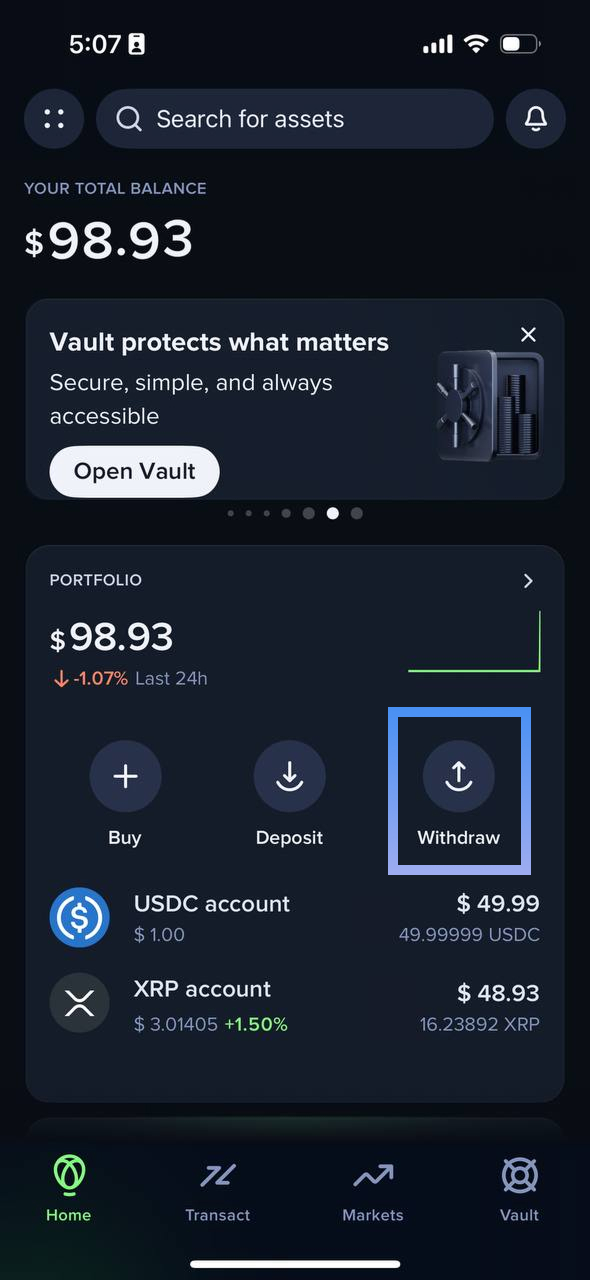
Step #2: Click on XRP account
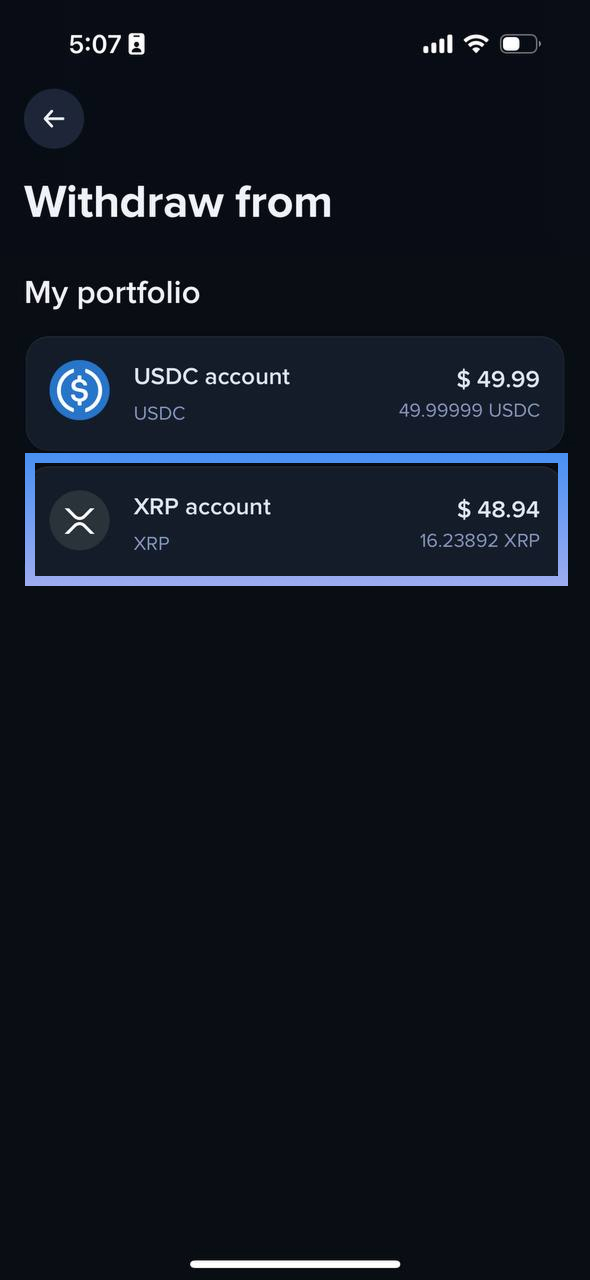
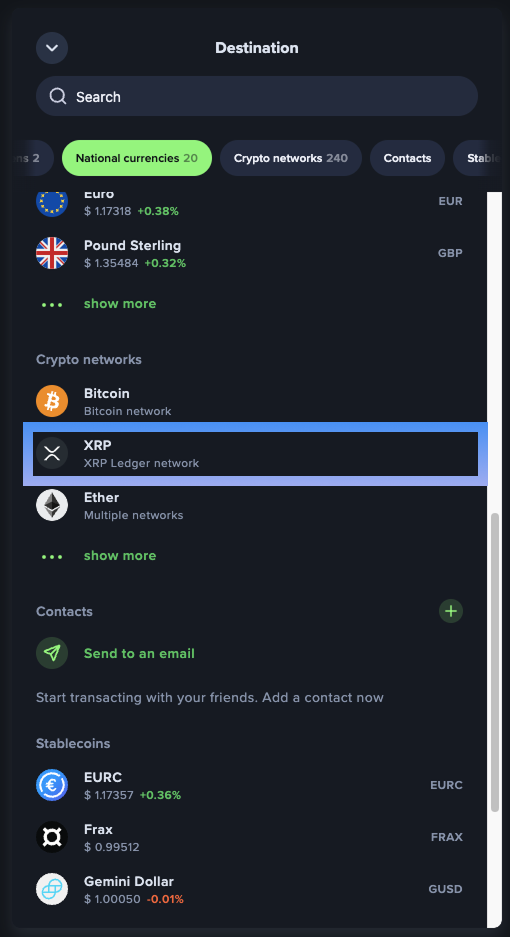
Step #3: Click on Crypto networks
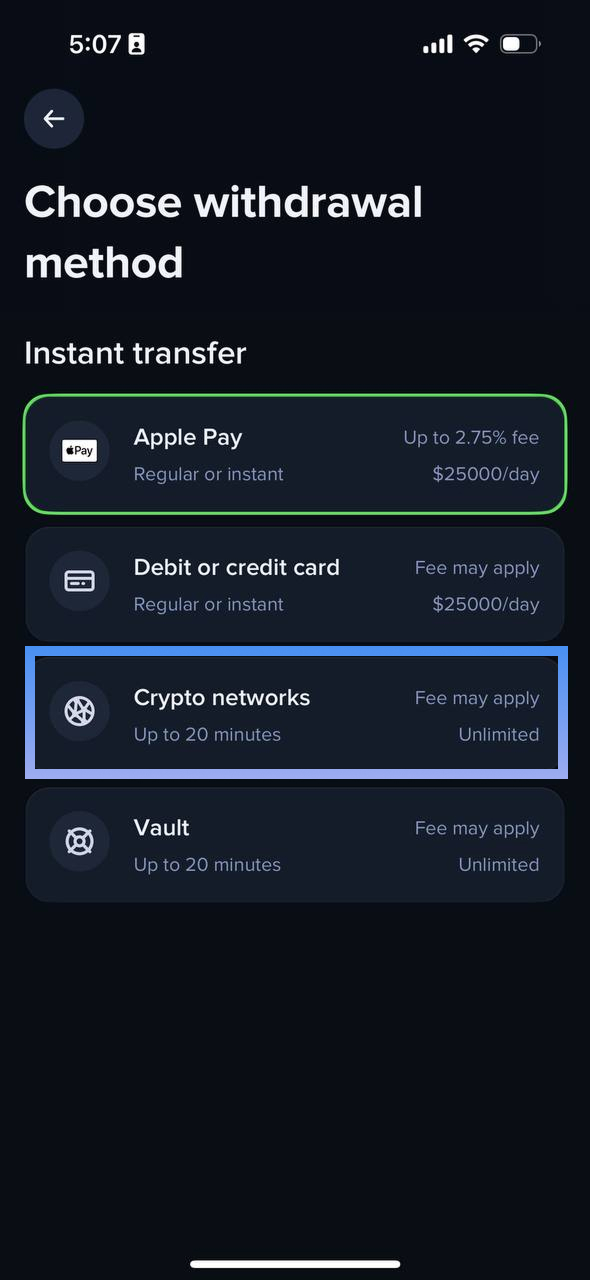
Step #4: Click on the XRP Ledger network
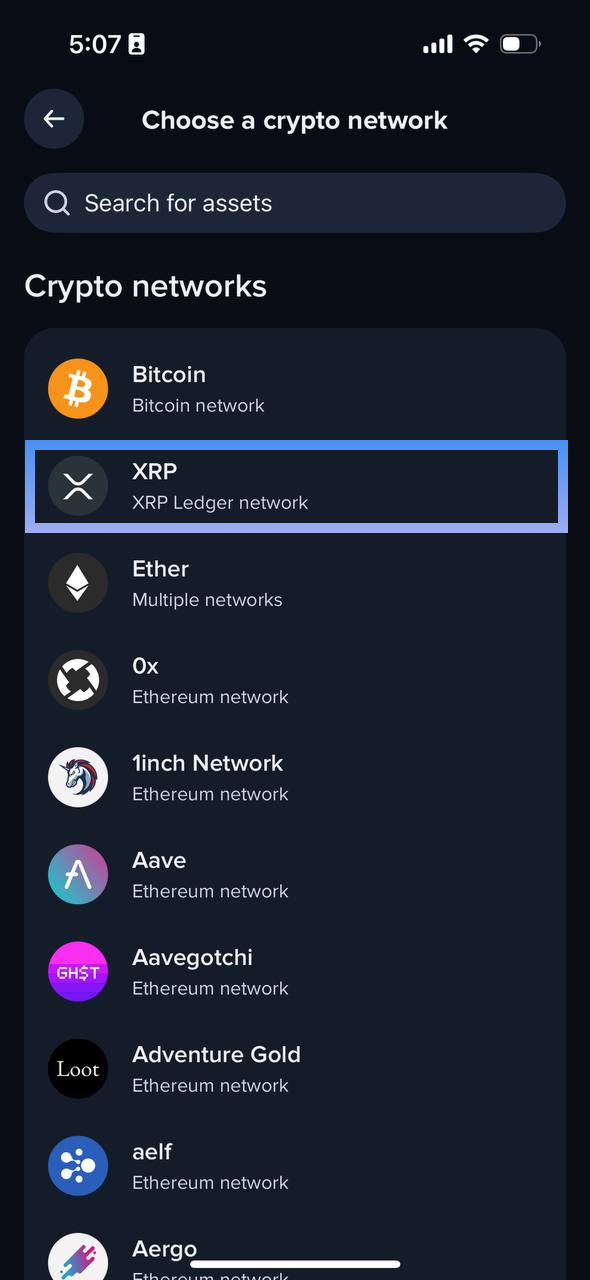
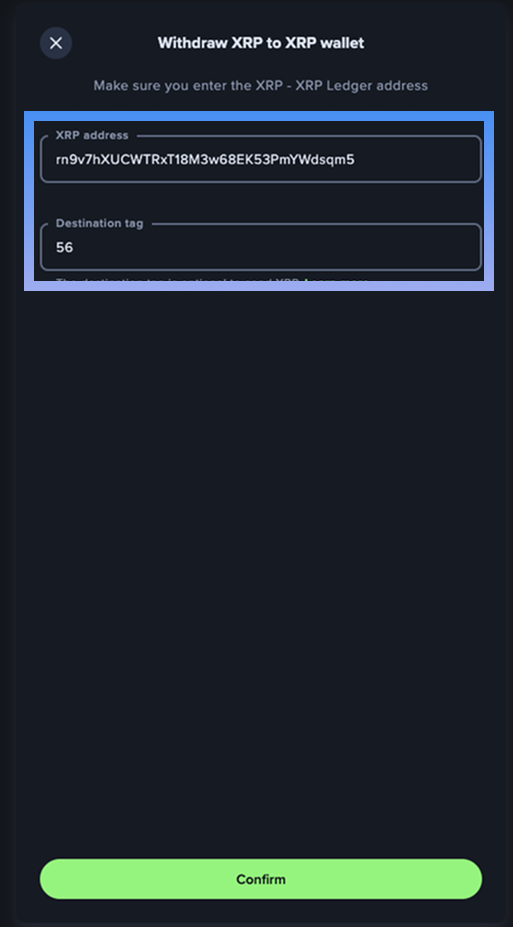
Step #5: Enter your recipient's XRP address and Destination tag
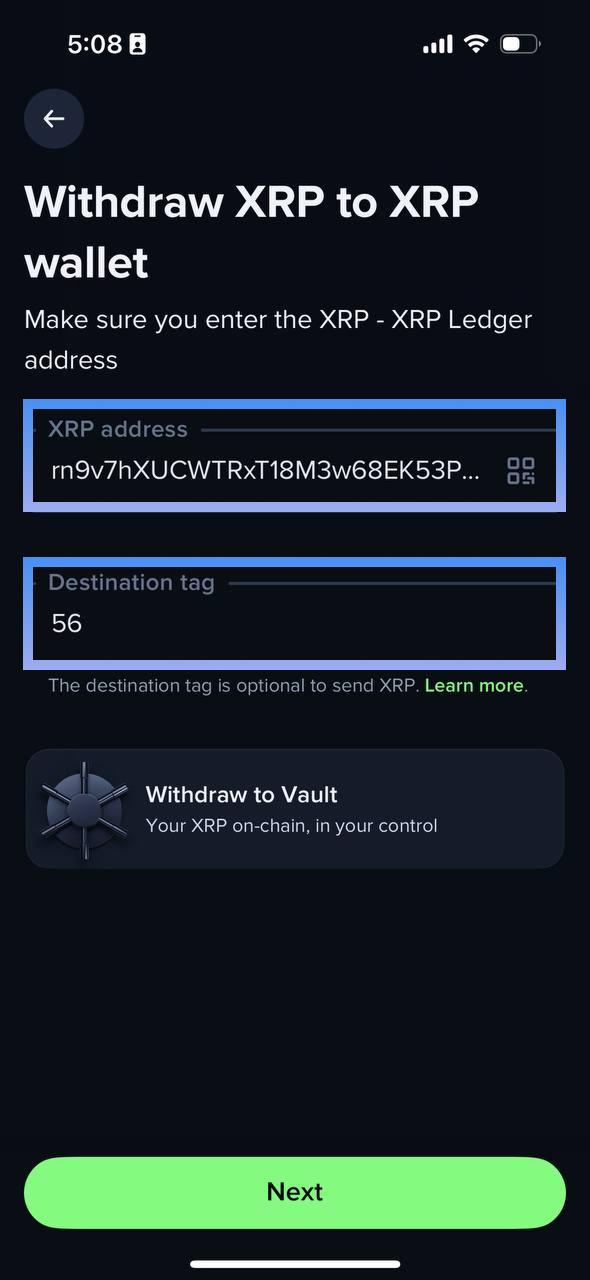
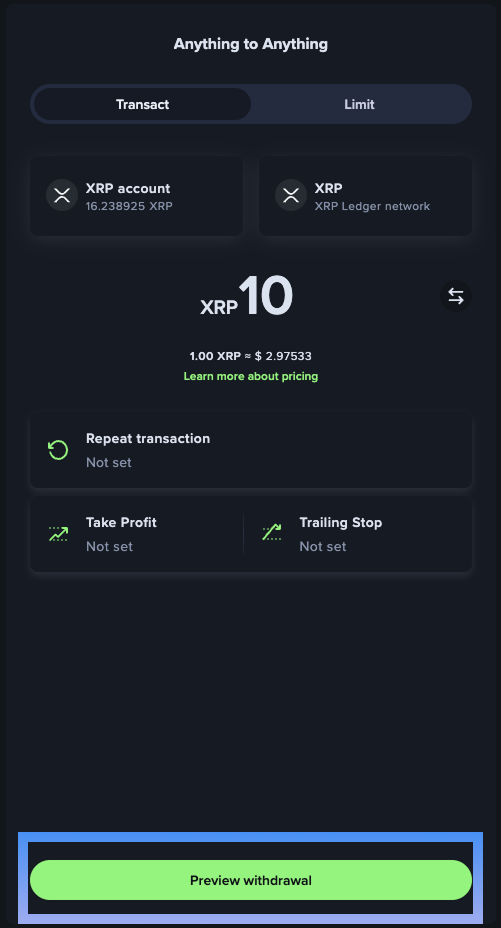
Step #6: Enter your desired amount and click on preview withdrawal
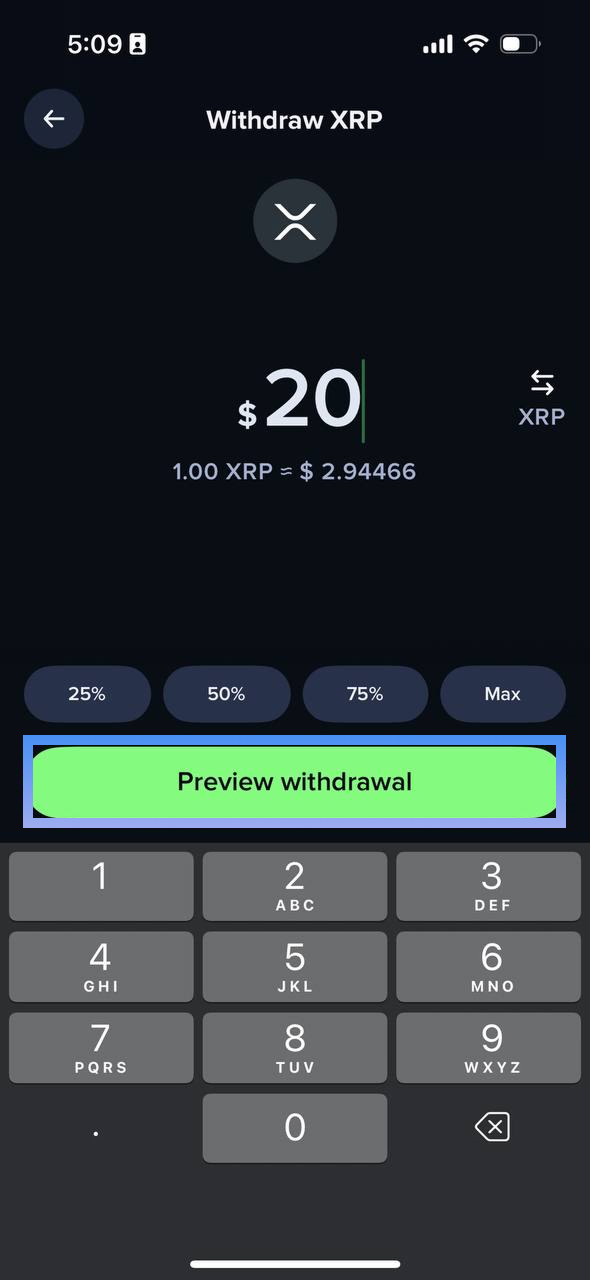
Step #7: If needed, verify recipient details
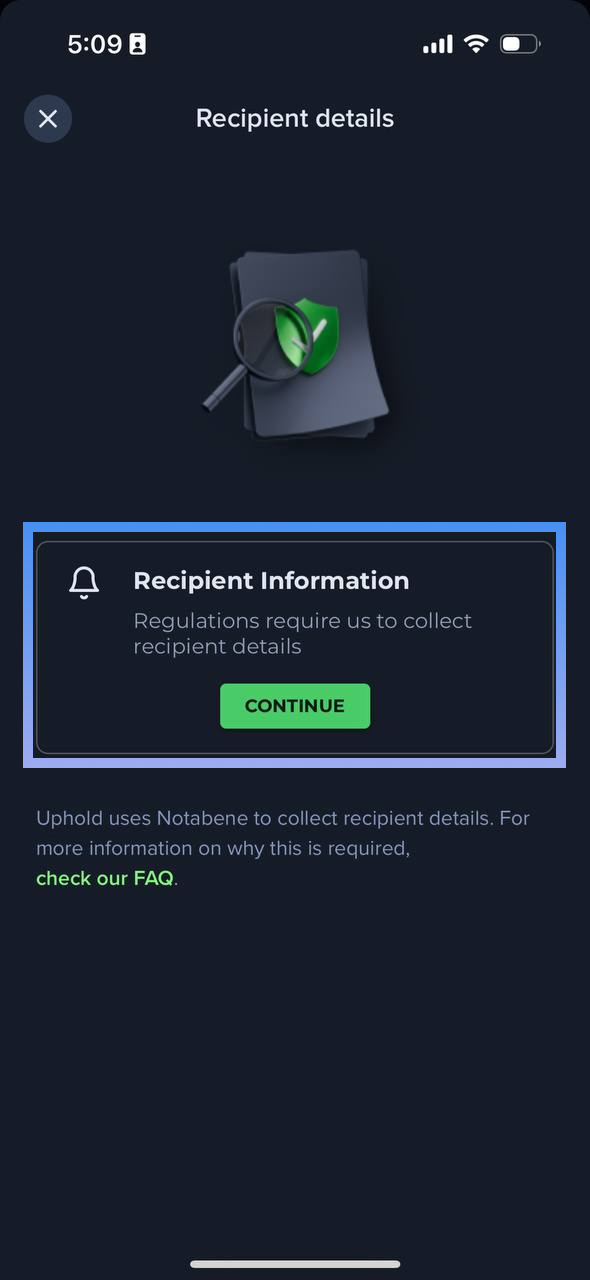
Step #8: Enter your recipient details.
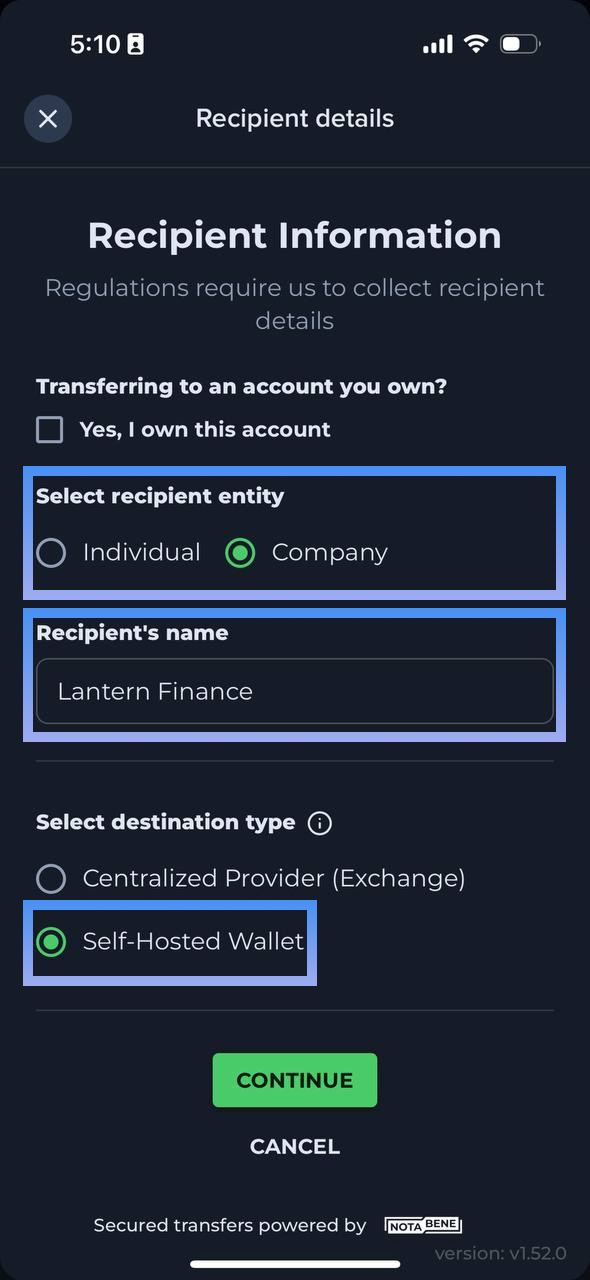
For Lantern users, please click on Company and enter Lantern Finance as the recipient's name. Then click on the self-hosted wallet option.
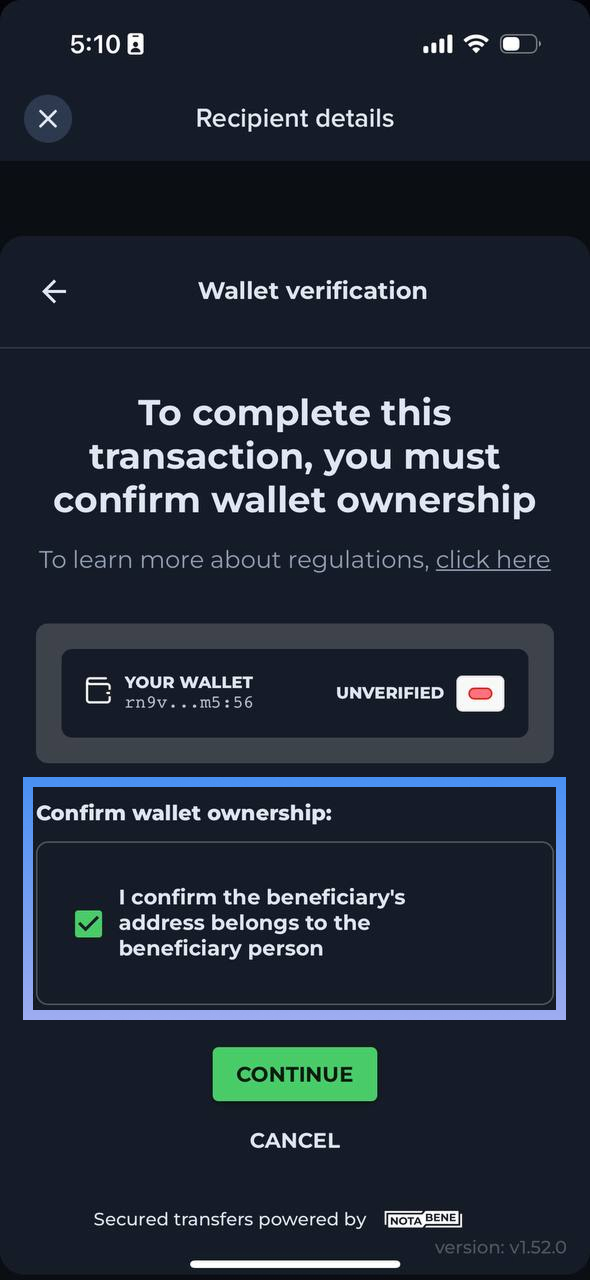
Step #9: Confirm the beneficiary's address
Step #10: Confirm withdrawal
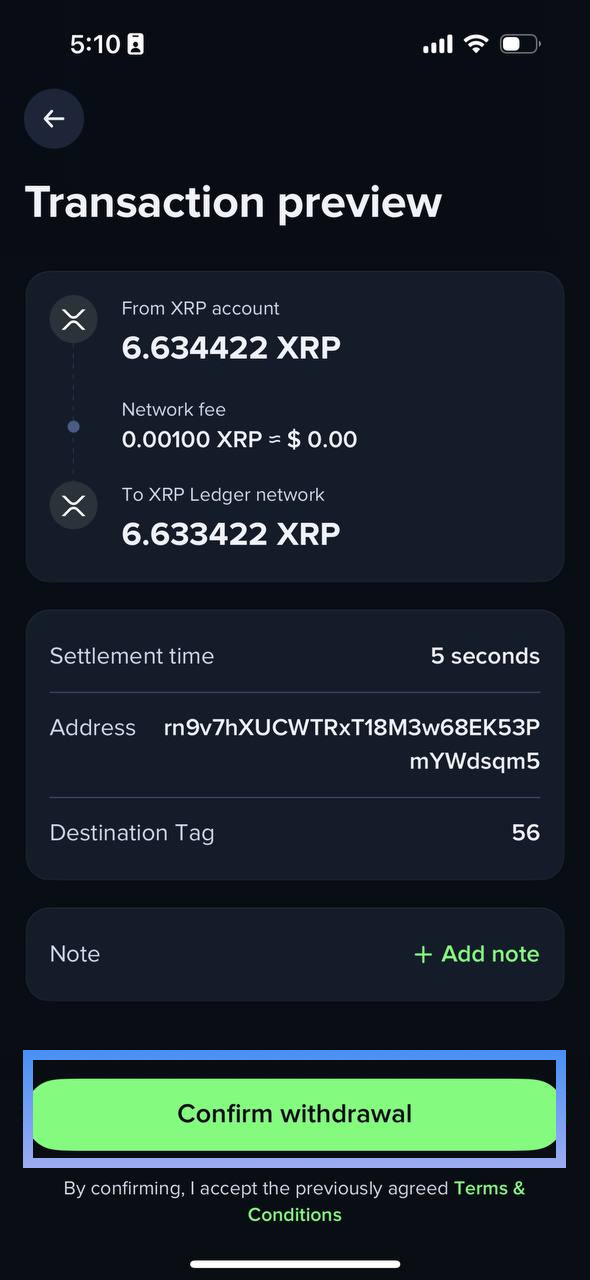
That's it, you are done!
Uphold on Desktop
Login to your dashboard on Uphold
Step #1: All you need to do is focus on the rightmost panel.
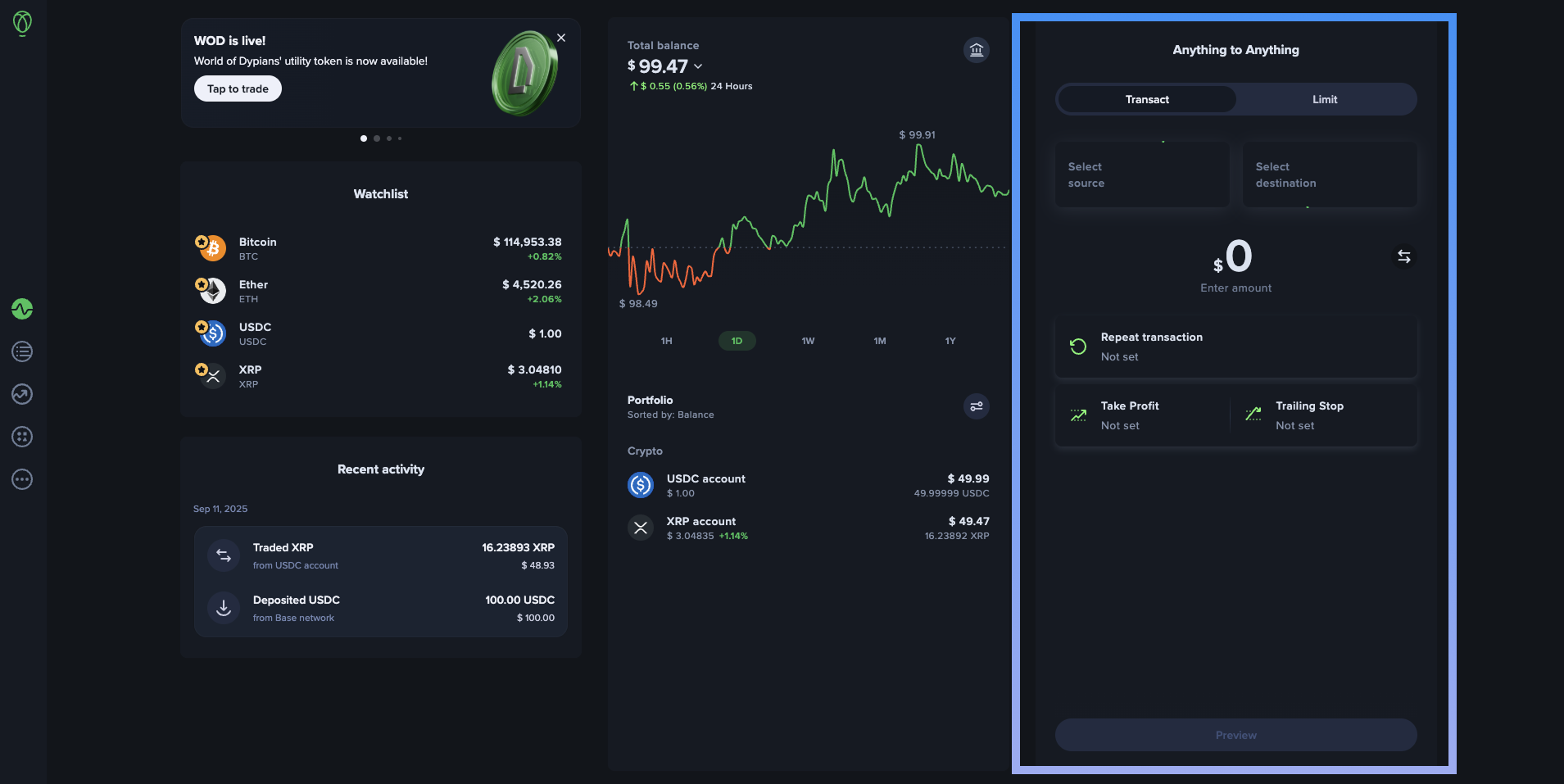
Step #2: Click on select source
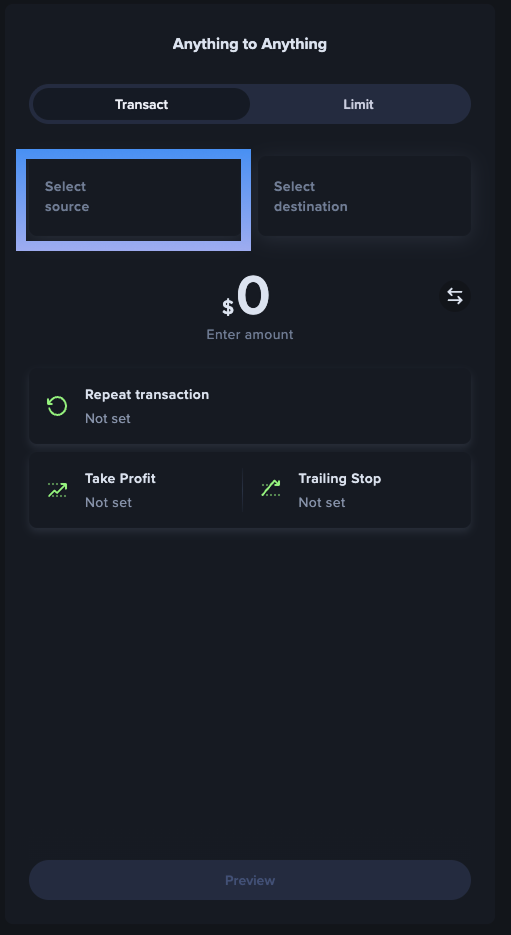
Step #3: Click on XRP account
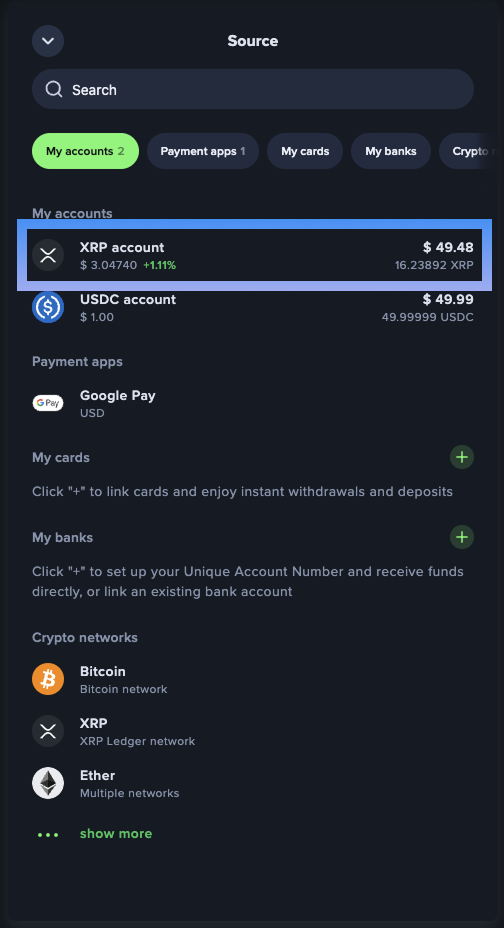
Step #4: Click on the "switch currency" icon
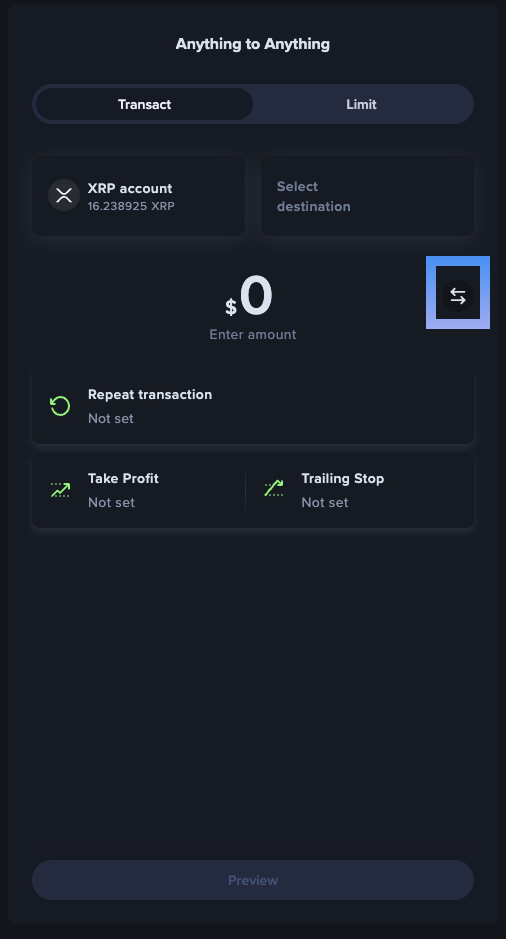
Step #4: Enter your desired amount
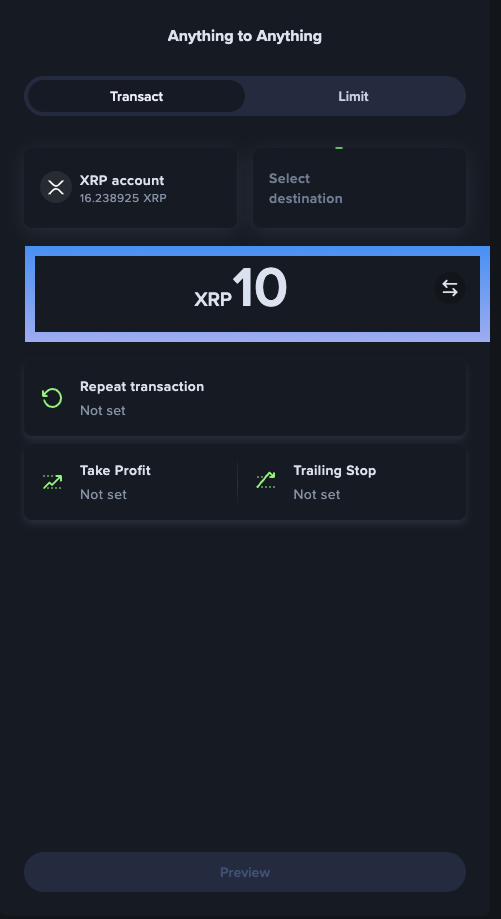
Step #5: Click on select destination
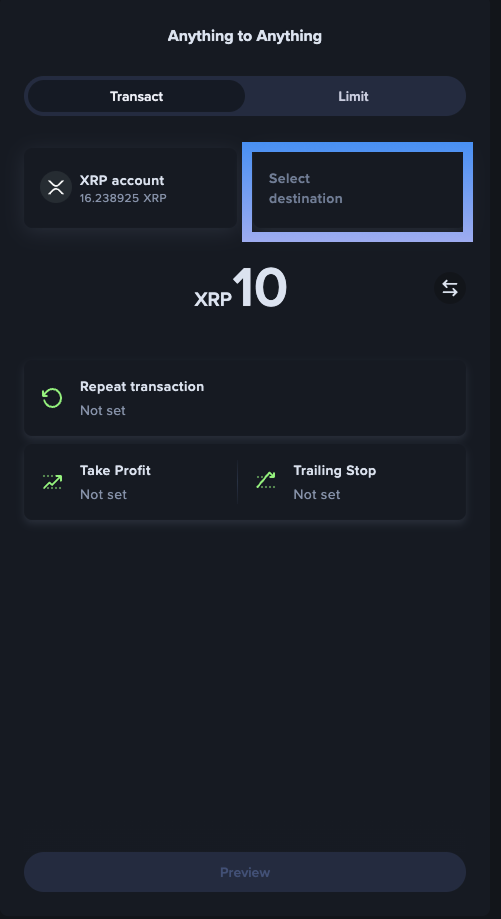
Step #6: Scroll down till you find "Crypto networks"
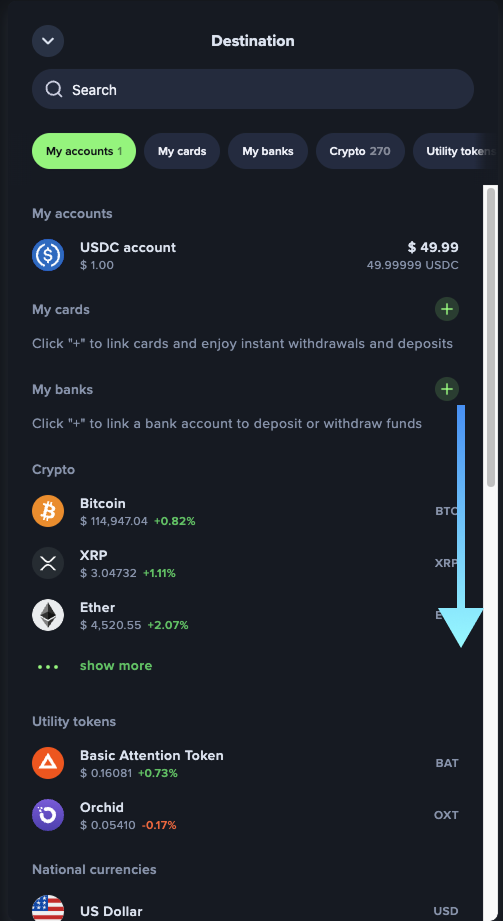
Step #7: Click on the XRP Ledger network
Step #8: Click on Preview withdrawal
Step #9: Enter the XRP address and Destination tag
Step #10: Click on continue to enter the Recipient details (if needed)
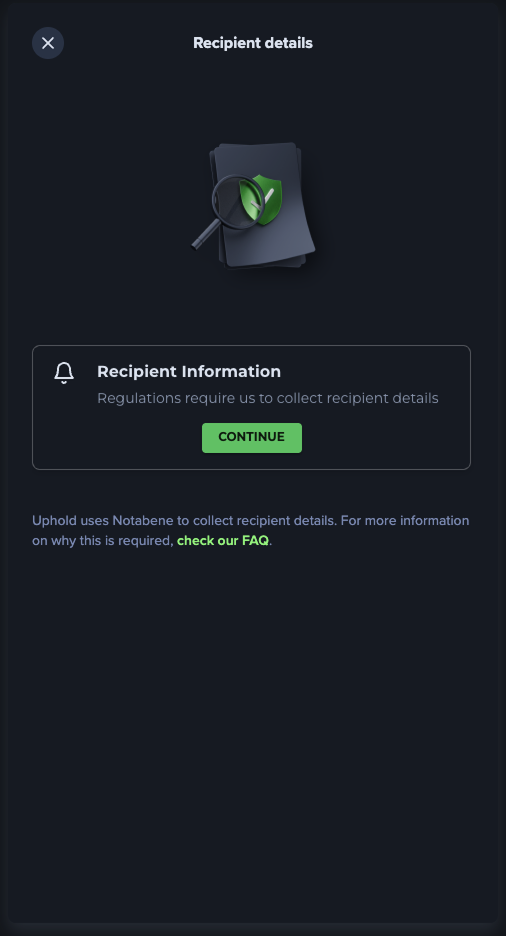
Step #11: Enter your recipient details.
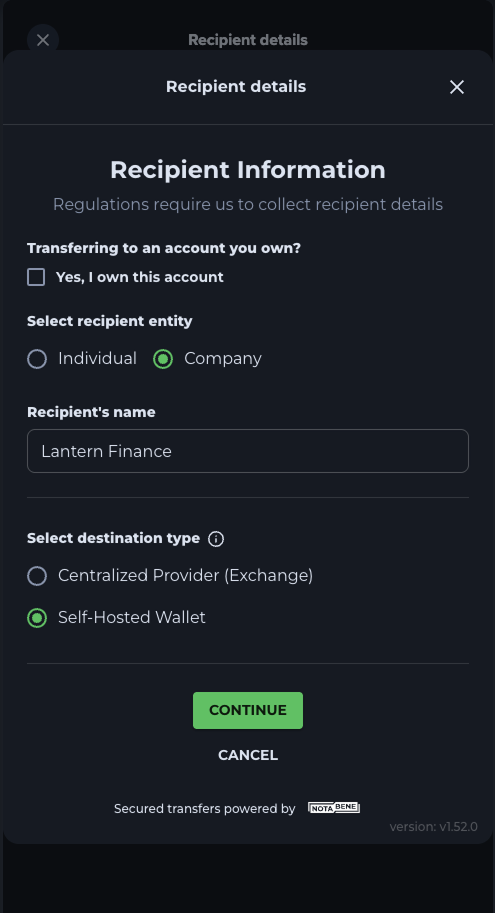
For Lantern users, please click on Company and enter Lantern Finance as the recipient's name. Then click on the self-hosted wallet option.
Step #12: Click on continue
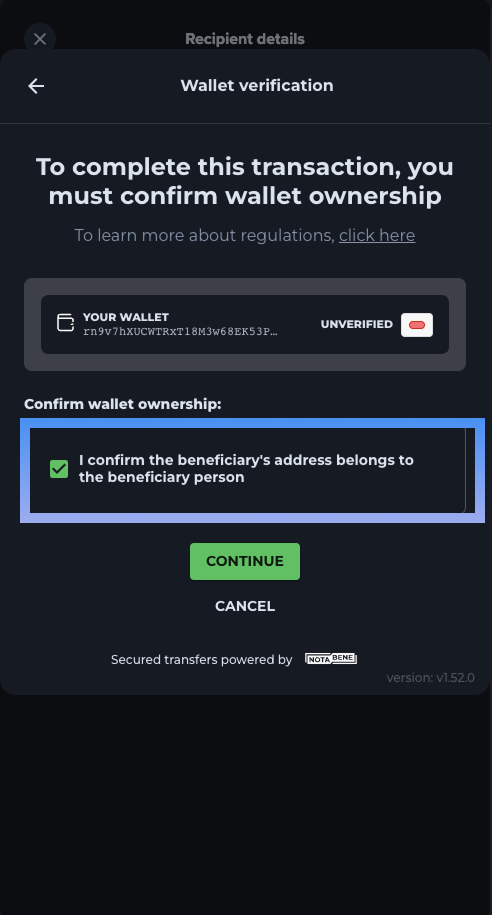
Step #13: Click on confirm withdrawal
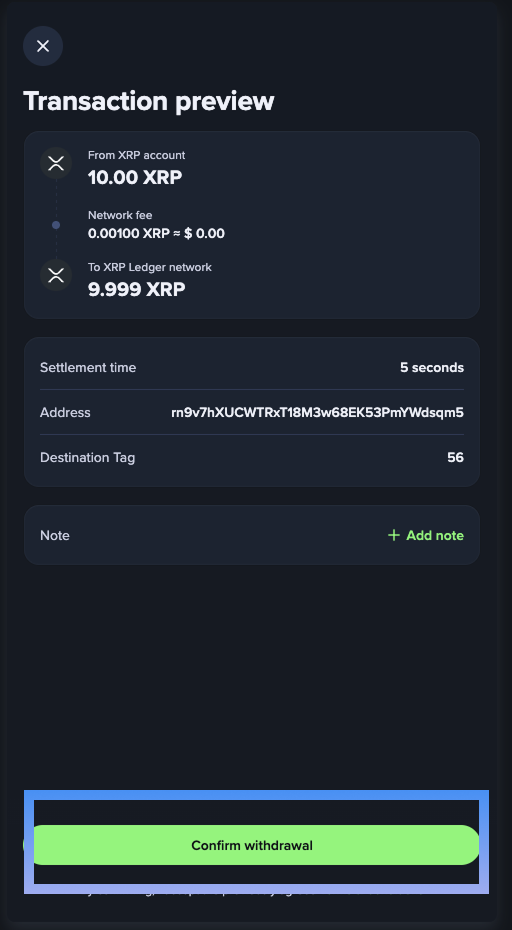
You are done :)
We are not affiliated with Uphold. So if there are any changes to the UI, please let us know and we will prompty update this guide.