05 Nov 2026 · 3 min read
Faster loan payoffs with Instant Payments
You can now pay down your Lantern loan with Instant Payment. Payoffs usually settle within minutes of approval, so collateral release can start sooner. Here's how it works and which banks support it.
You can now pay down your Lantern loan with Instant Payment.
It's most useful when you're paying off your loan. We release your collateral once we've received your full payoff, so the sooner your payment lands, the sooner we can start the release.
Before and after
Before: Standard ACH | After: Instant Payment | |
|---|---|---|
How you pay | Bank transfer from your linked account | We send a request to your bank, you approve it in your bank's app |
When it settles | 2 to 3 business days | Usually within minutes of approval |
Paying off your loan | Collateral release waits days for your payoff to arrive | Collateral release can start once your payoff lands, minutes after you approve |
How it works
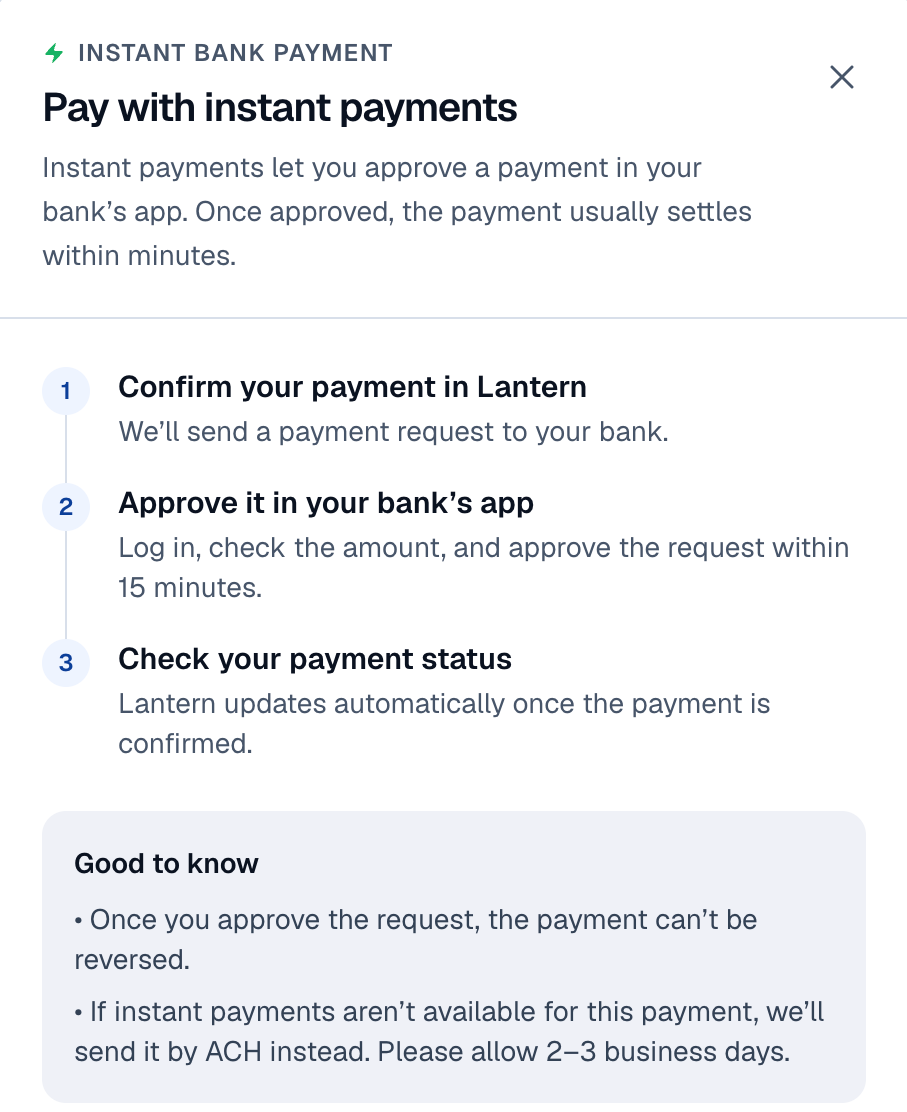
When you choose Instant Payment, we send a payment request to your bank. You open your bank's app, check the amount, and approve it. Once approved, the payment usually settles within minutes.
Nothing moves until you approve it.
A few things to know:
Instant Payment works for partial pay downs and full payoffs. It isn't available for interest payments.
It's on the Lantern web app only for now. It's coming to mobile later.
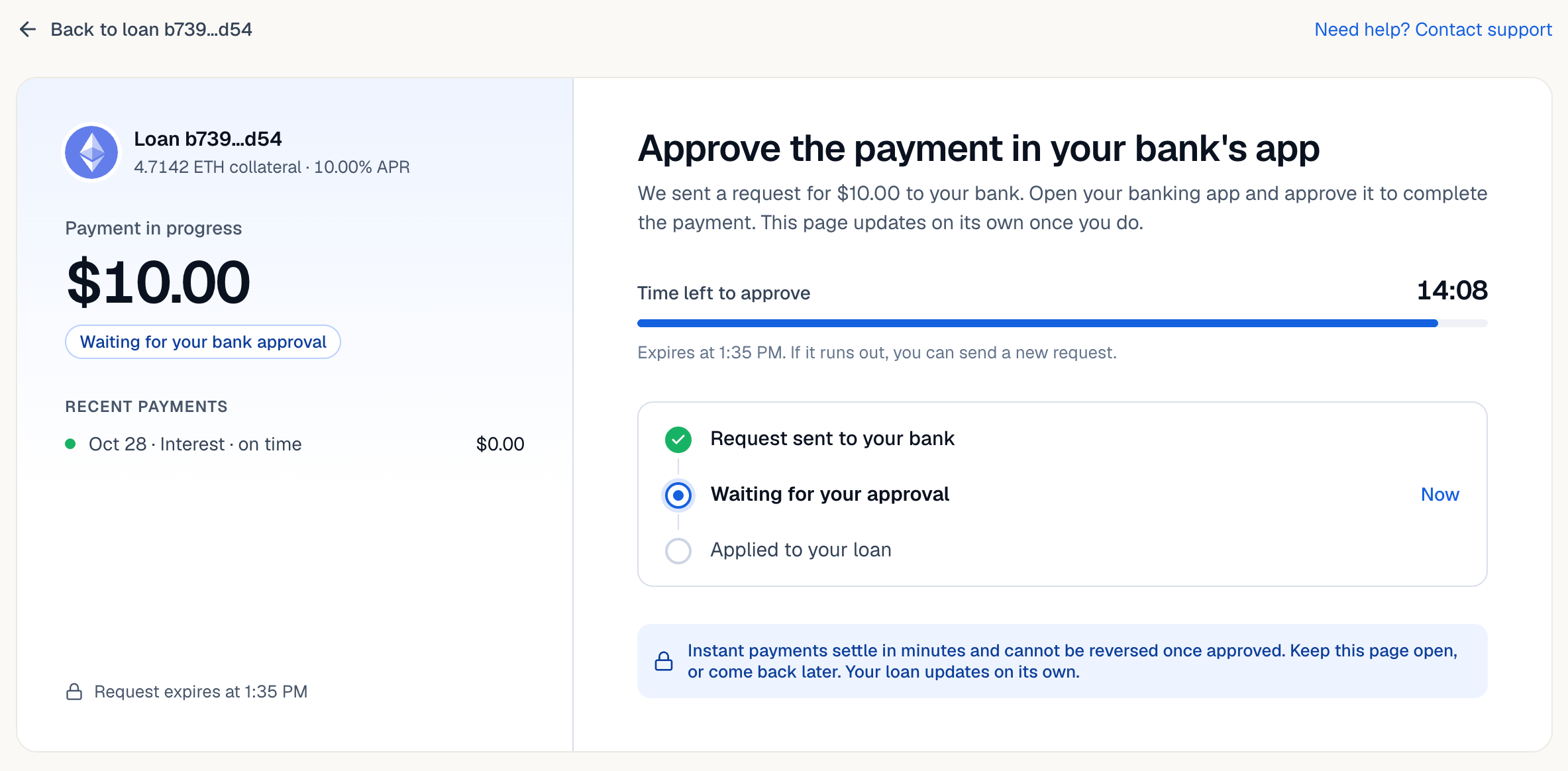
You have 15 minutes to approve the request in your bank's app. If it expires, you can send a new one.
Once you approve the request, the payment can't be reversed.
If Instant Payment isn't available for a payment, we'll send it by ACH instead. Allow 2 to 3 business days for that.
Which banks support it
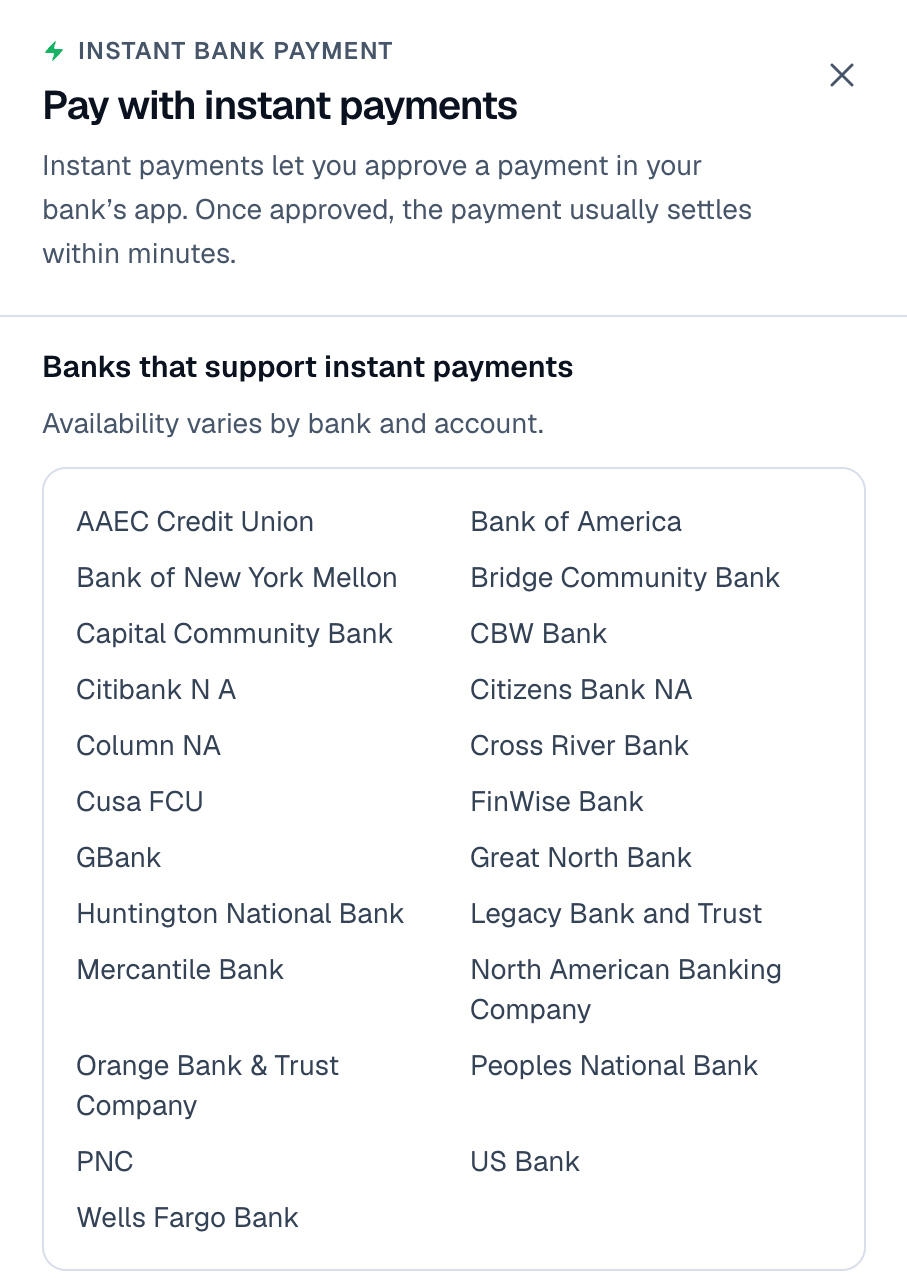
Availability varies by bank and account.
Supported banks include Bank of America, Citibank, Wells Fargo, PNC, US Bank, Huntington National Bank, Citizens Bank, and BNY Mellon, plus a number of smaller banks and credit unions. You can see the full list in the app by clicking How instant payments work.
Why it matters when you pay off your loan
When you repay in full, we have to confirm the complete payoff has arrived before we release the collateral securing your loan.
A standard ACH transfer takes 2 to 3 business days. Instant Payment usually settles in minutes after you approve it. We still need to confirm the full amount and process the release after that, but you skip the longest part of the wait.
How to pay with Instant Payment
1. Open your loan on the web app. Log into Lantern in your browser, go to Loans, and select the loan you want to pay. If you have more than one loan, check you've picked the right one.
2. Choose your amount and bank account. Decide whether this is a partial pay down or a full payoff, then pick the bank account you're paying from. For a payoff, use the current total due shown in Lantern. If you only pay the principal, part of the loan will still be outstanding.
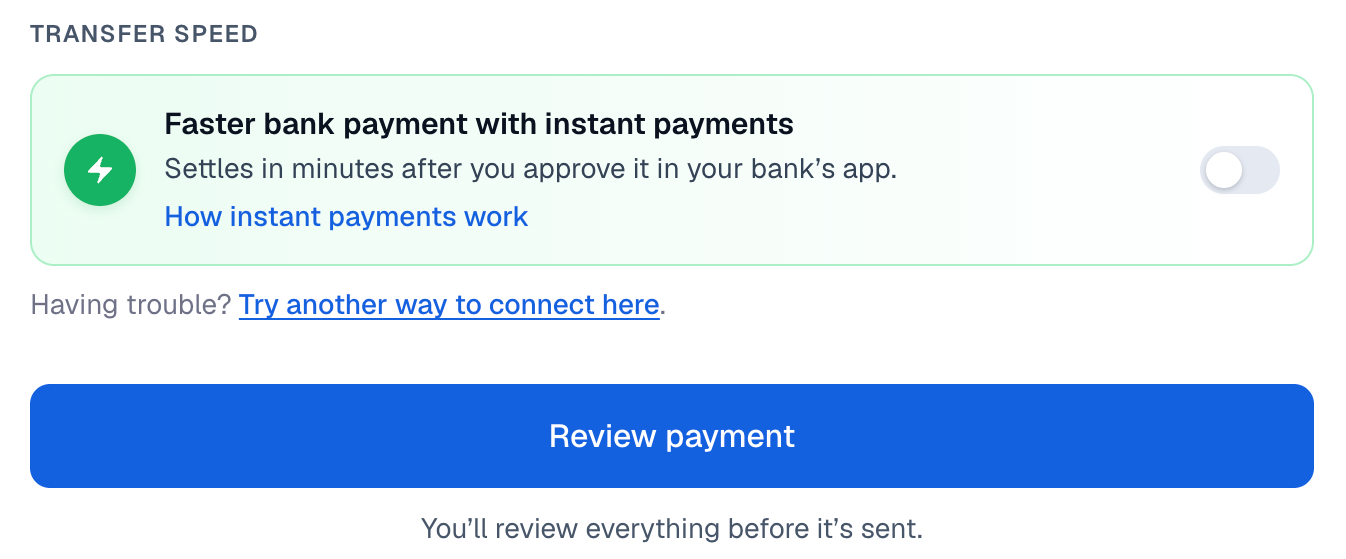
3. Turn on instant payments. Under Transfer speed, switch on Faster bank payment with instant payments, then click Review payment.
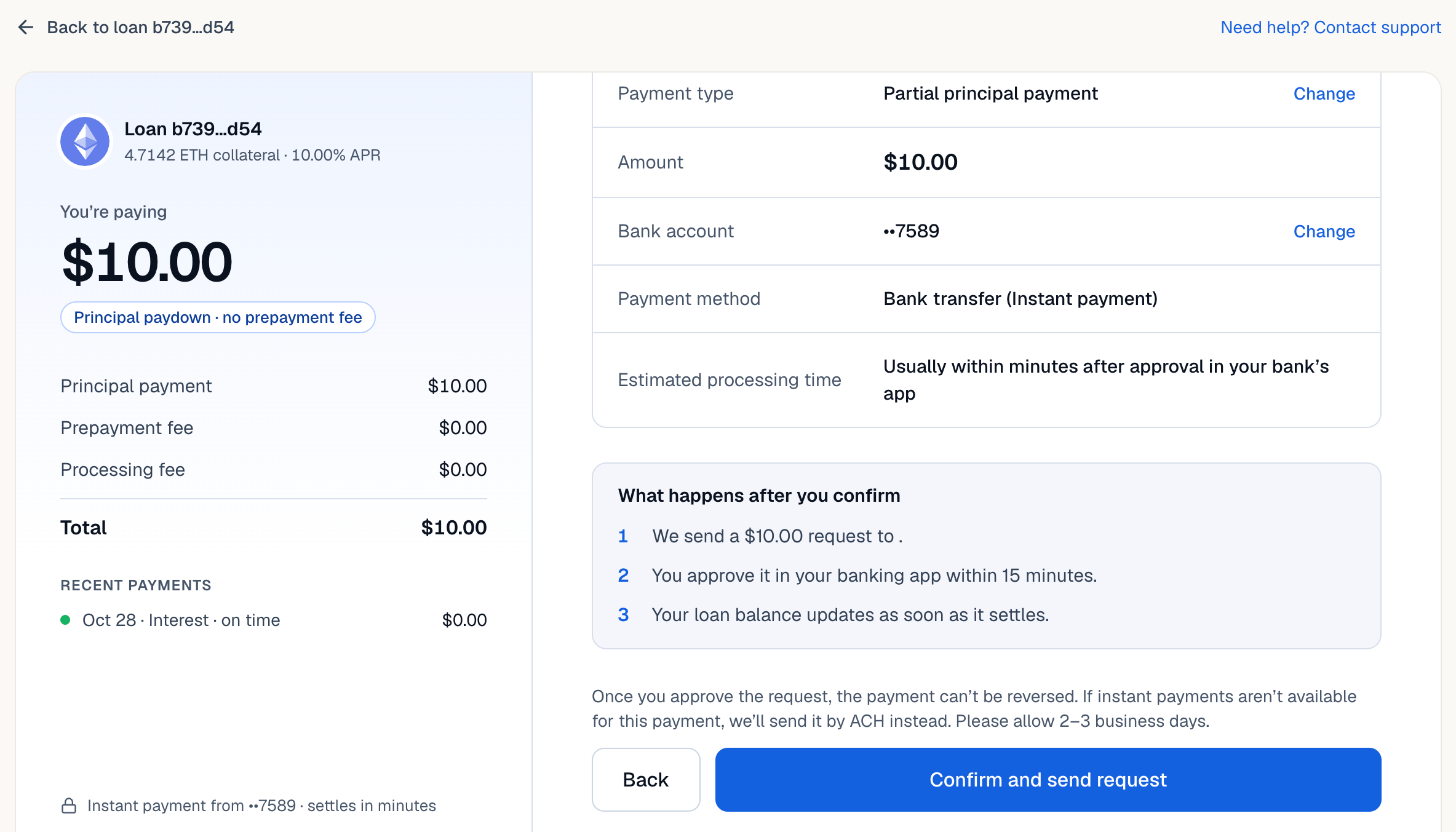
4. Review and confirm. Check the payment type, amount, bank account, and payment method (it should say Bank transfer (Instant payment)). If everything's right, click Confirm and send request.
5. Approve it in your bank's app within 15 minutes. Open your banking app, find the request, and check the amount matches what you meant to pay. If anything looks wrong, don't approve it. Contact us first. You can keep the Lantern page open while you do this, or come back later. It updates on its own.
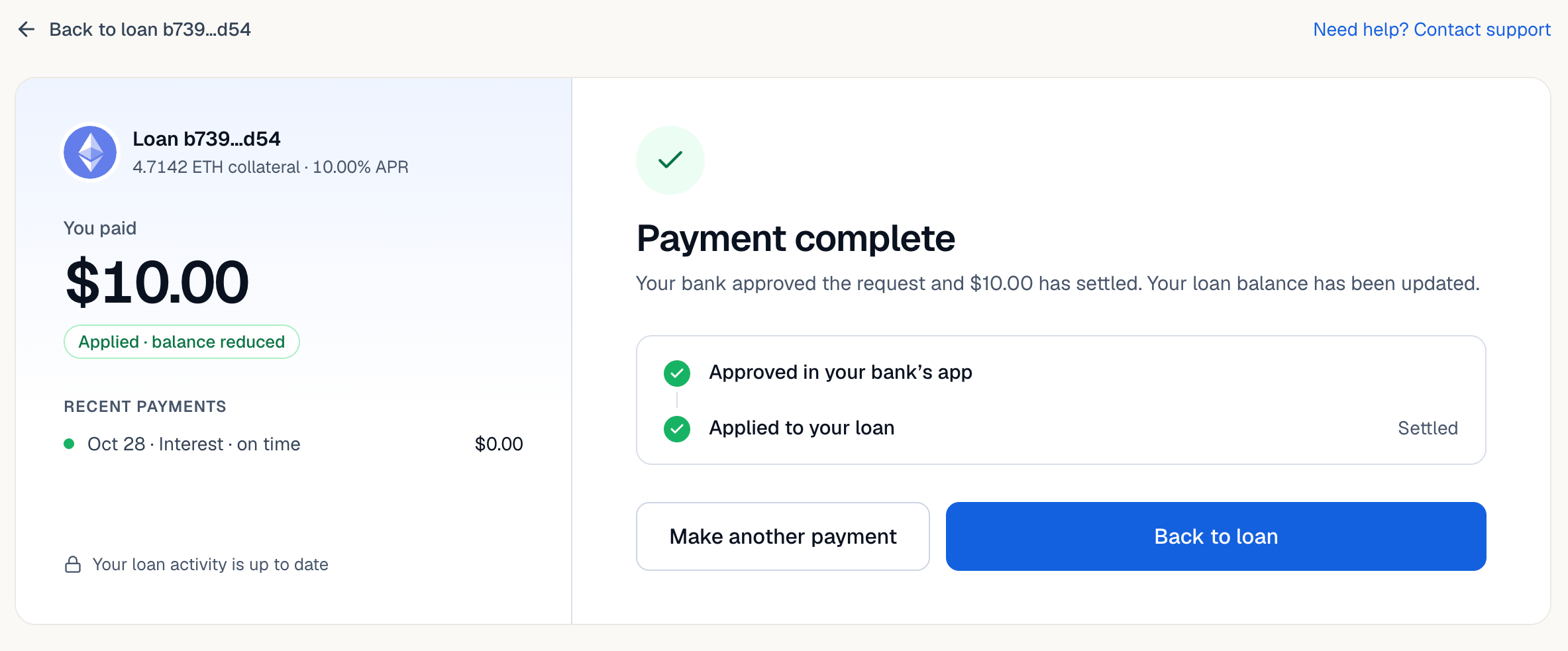
6. Check your loan. Once the payment settles, Lantern shows Payment complete and your loan balance updates. For a payoff, confirm the loan shows as fully paid and check the status of your collateral release.
Questions?
Call or text us at (415) 365-0100 for help with a payment request, payment status, or collateral release.