Pay Interest From Your Exchange Without Leaving Lantern
By Lantern Finance
You can now transfer crypto and make payments for your Lantern loans directly from your existing exchange and wallets, all without leaving our platform.
How to Pay Interest (USDC) Through Your Exchange in 4 Simple Steps
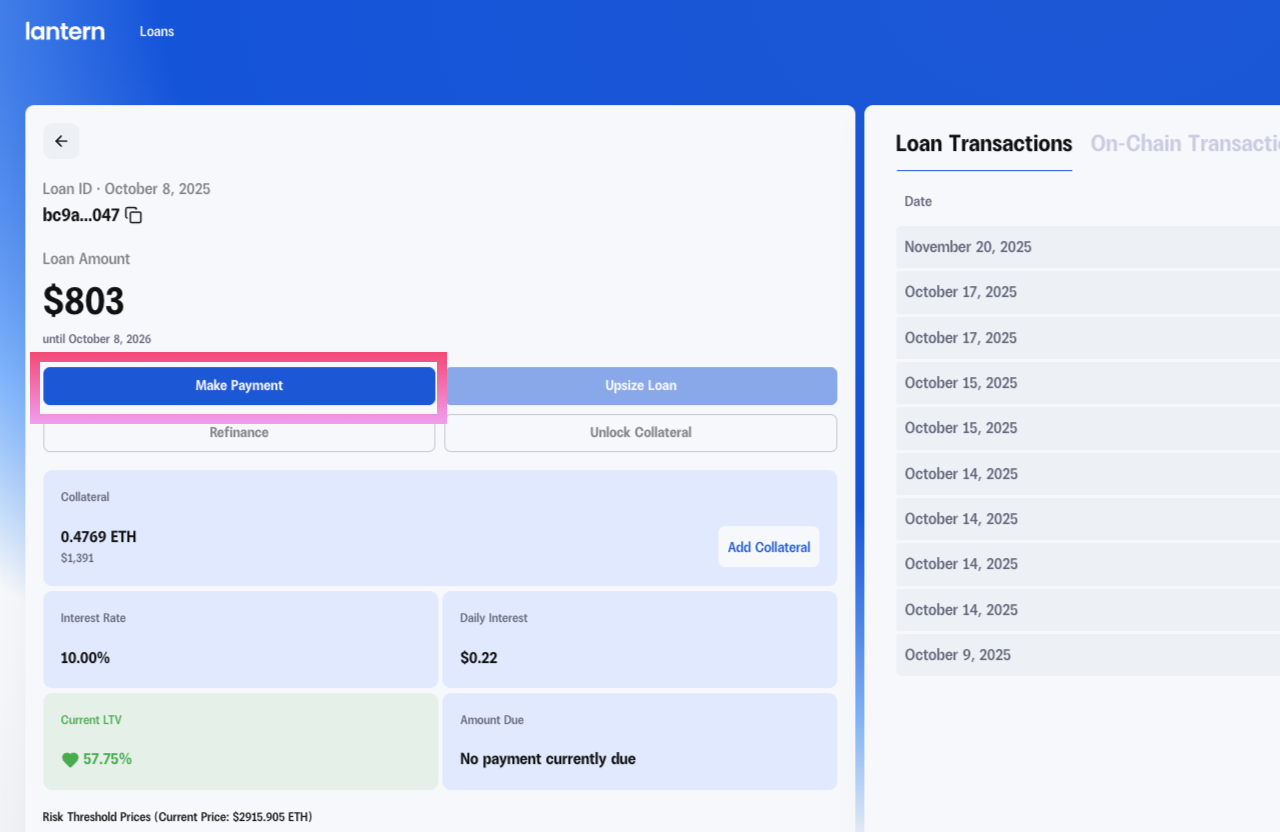
Step 1: Navigate to Make Payment
Log in to your Lantern dashboard and click the "Make Payment" button on your active loan.
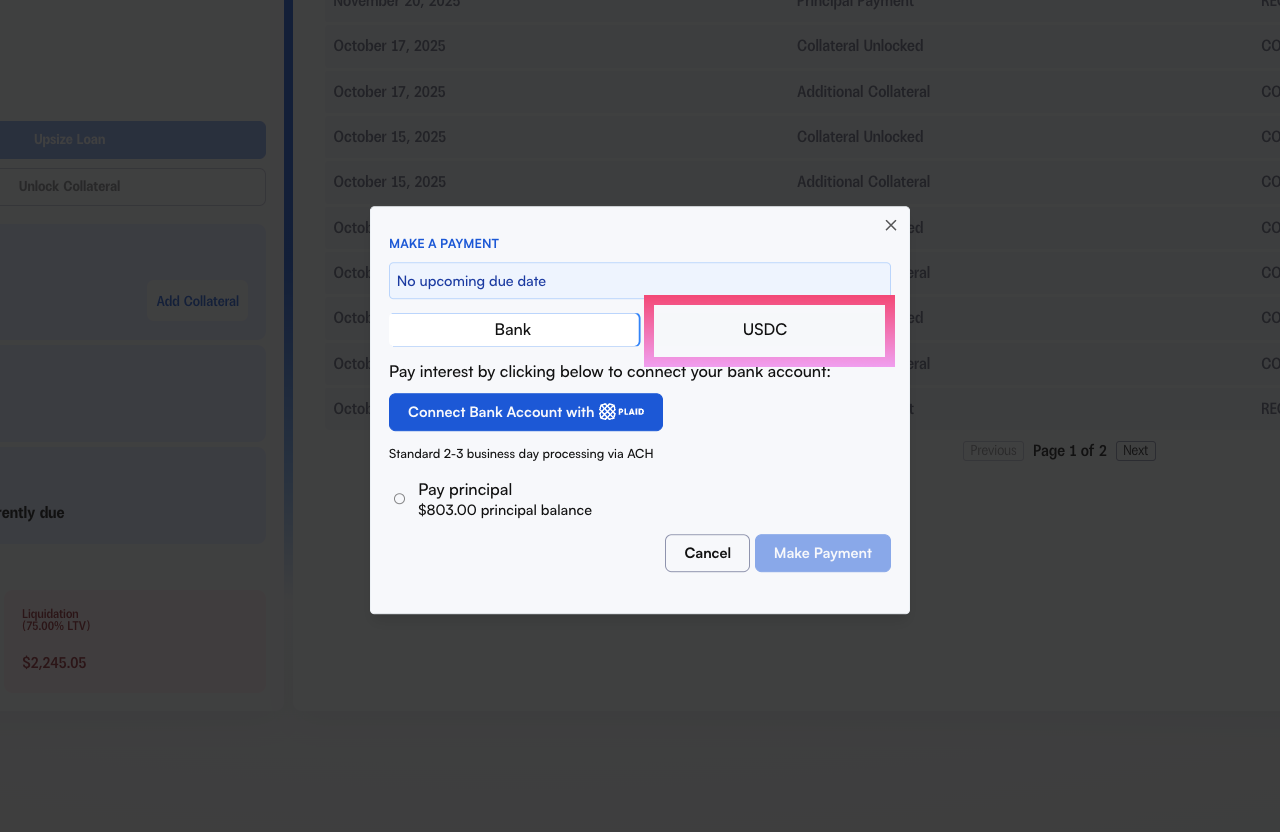
Step 2: Choose Payment Method
When the payment modal opens, you'll see two tabs at the top: Bank and USDC. Select the USDC tab to pay with crypto.
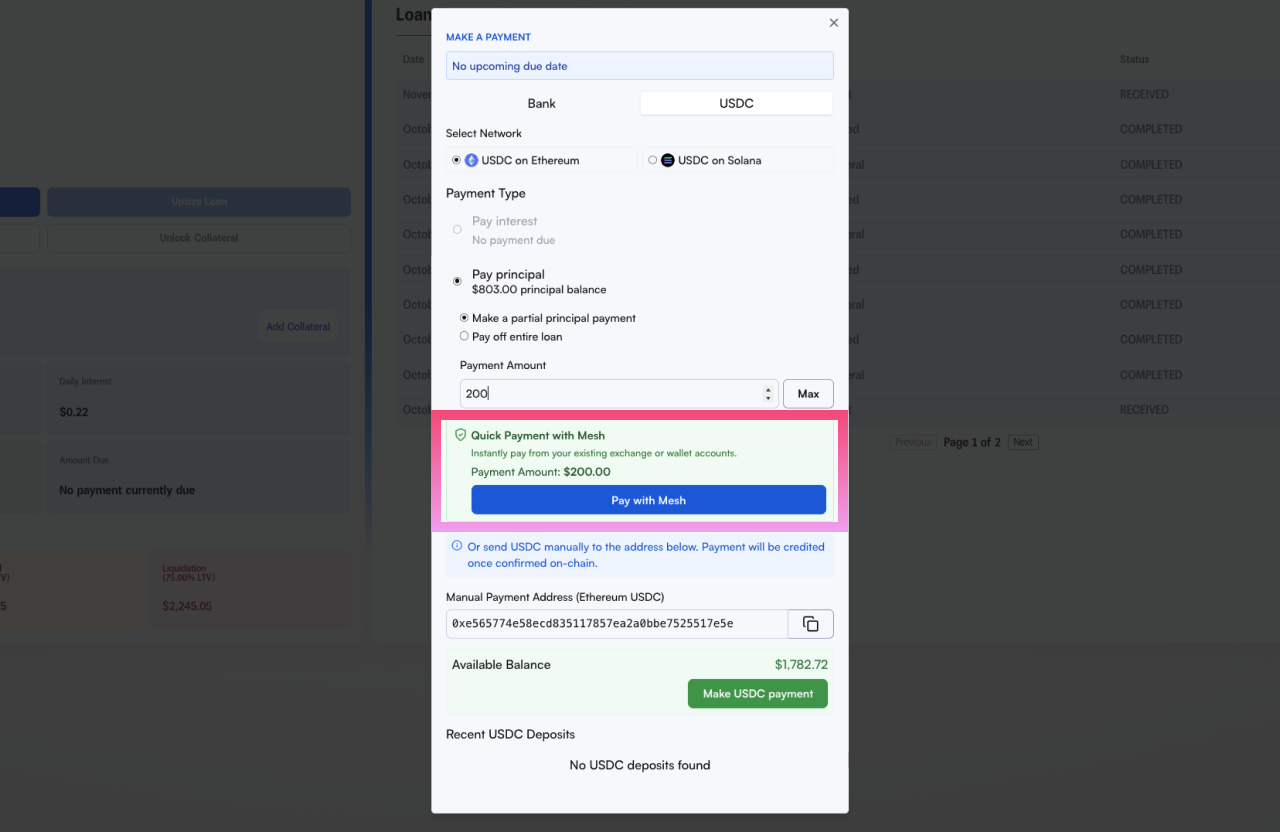
Under "Payment Type," choose whether you want to:
Pay interest
Make a partial principal payment
Pay off your entire loan
Then click "Pay with Mesh" to continue.
Step 3: Select Your Exchange
A secure Mesh window will appear asking you to choose your account. Select your preferred exchange from the list (Coinbase, Kraken, or Robinhood).
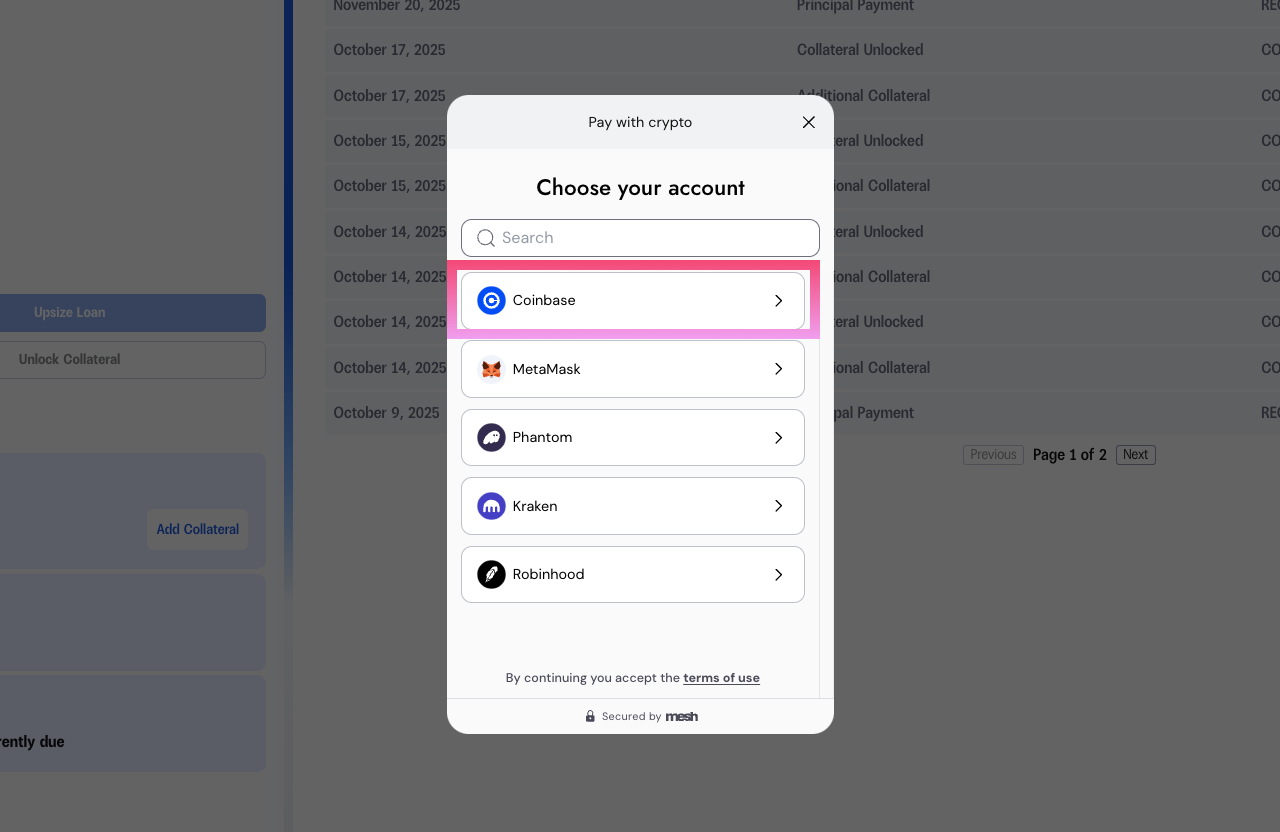
You'll be prompted to sign into your exchange account to authorize the connection.
Please use your exchange’s username and password to authorize.
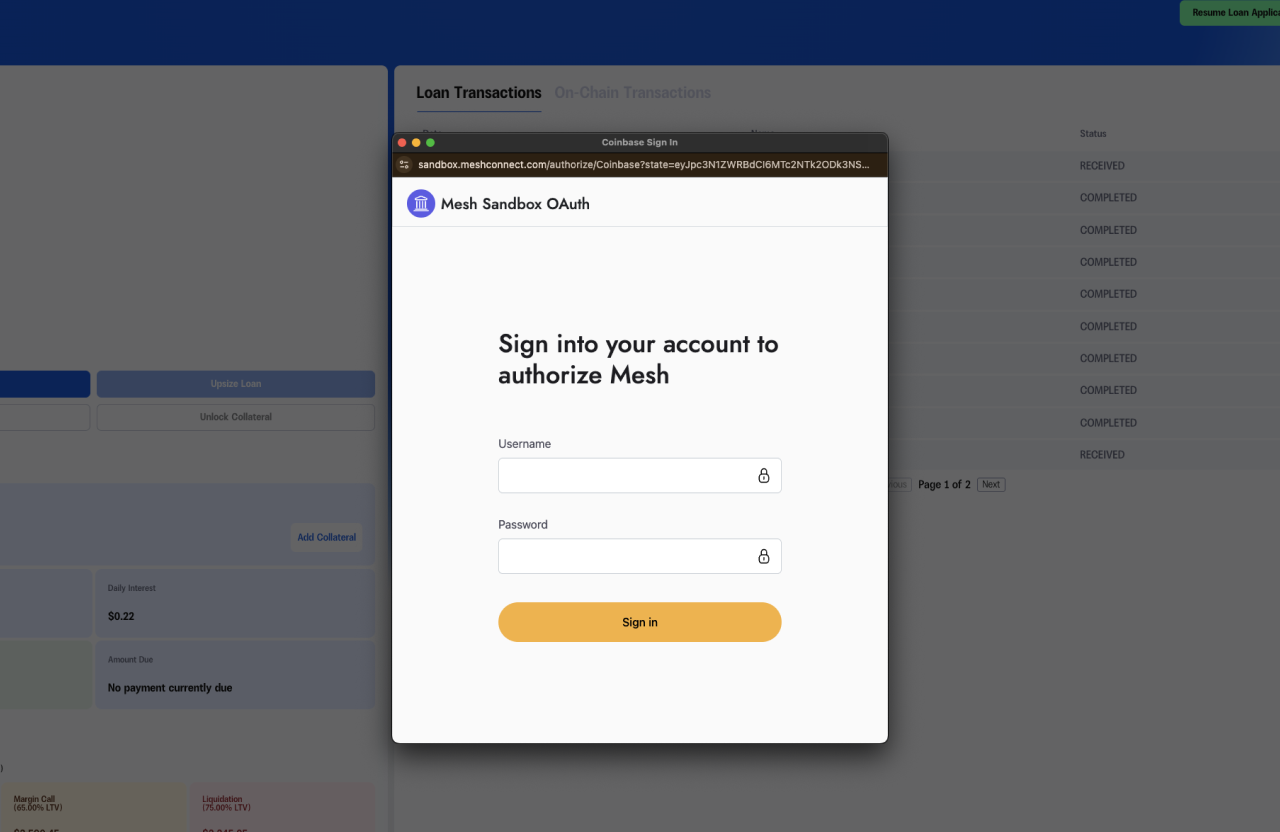
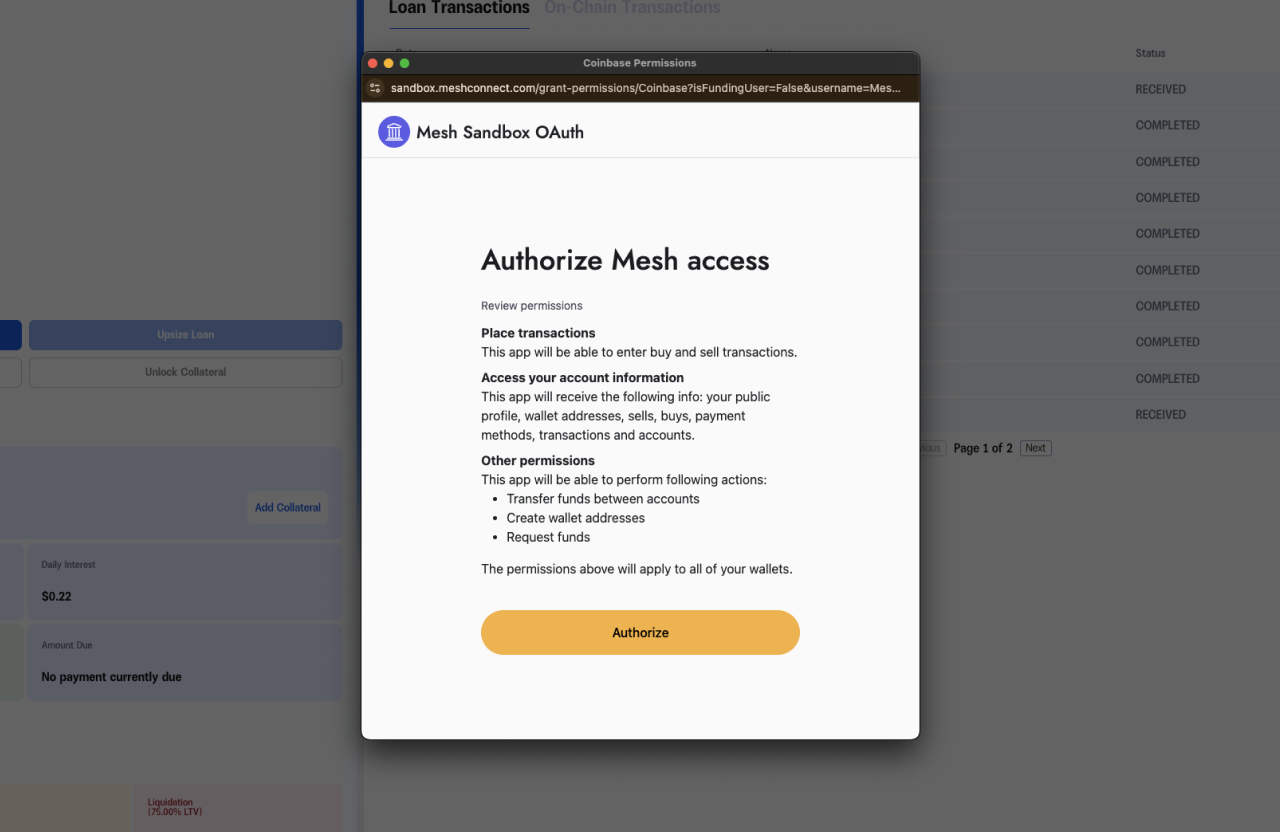
After logging in, you need to authorize Mesh. You might need to enter 2FA to verify the authorization.
Step 4: Review and Confirm
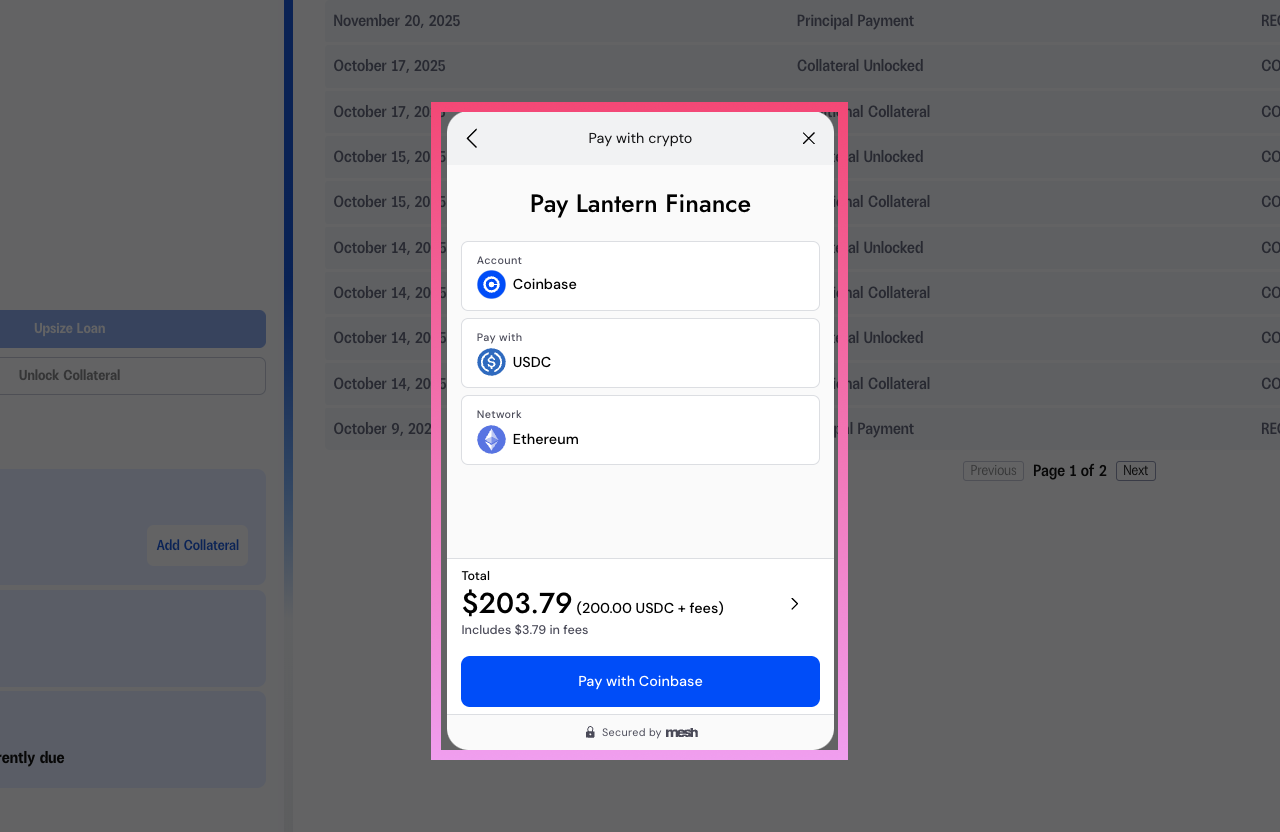
After connecting your exchange, review:
The payment amount
The network you're using (Ethereum or Solana for USDC)
Any applicable fees
Click "Pay with Coinbase" (or your selected exchange) to complete the transaction.
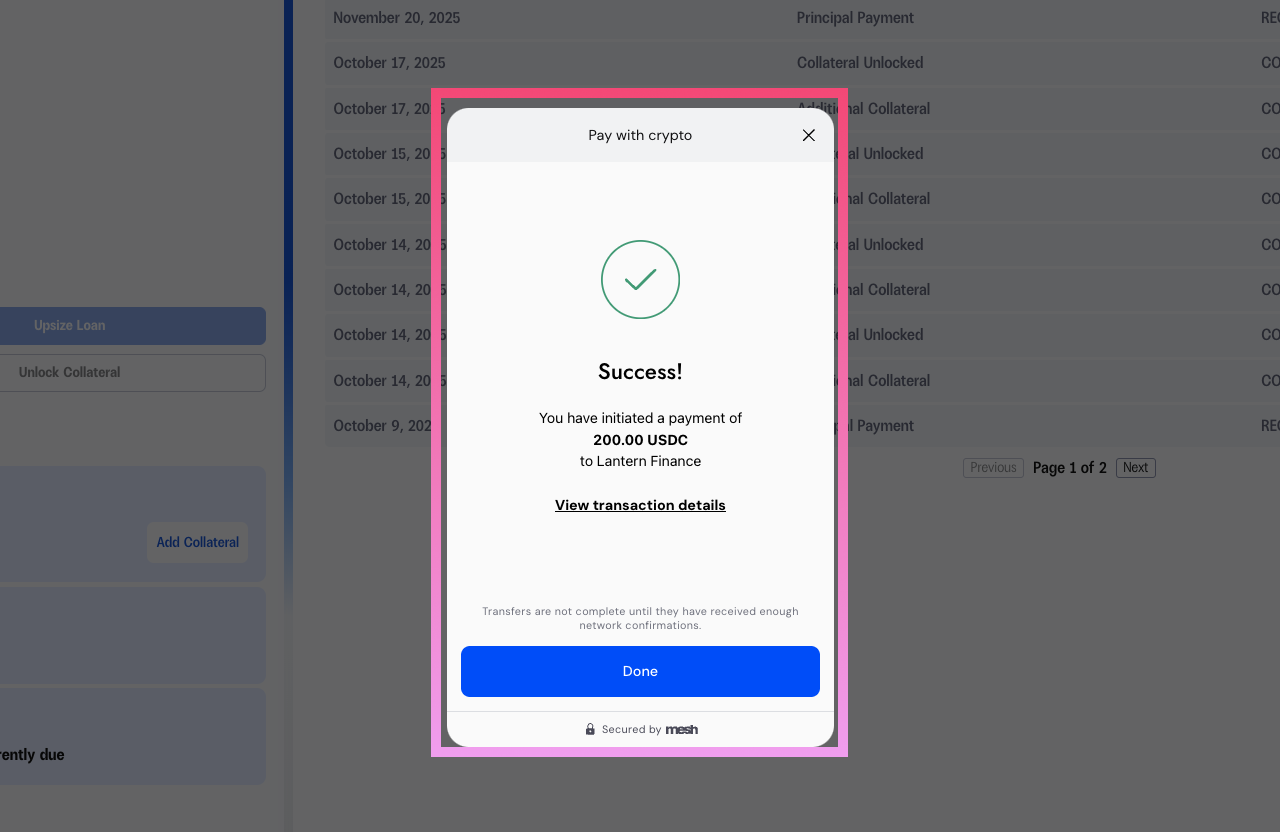
You'll see a success confirmation once your payment has been initiated. The transaction will be credited to your Lantern account once confirmed onchain (typically within minutes).
What's Supported
Assets: All Lantern-supported assets except HBAR (HBAR support coming soon)
Networks: Ethereum and Solana for USDC payments
Payment Types: Interest payments, principal payments, and adding collateral
Coming Soon
We're continuously expanding our payment options. In Q1 2026, we'll be adding support for Uphold, giving you even more flexibility in how you manage your Lantern loans.