Now available: Pay interest with USDC
By Lantern Finance

Hey Lantern Community,
Last week, we launched support for bank payments via Plaid. Today, we're excited to announce that USDC payments are now live on the Lantern platform.
How To Pay With USDC
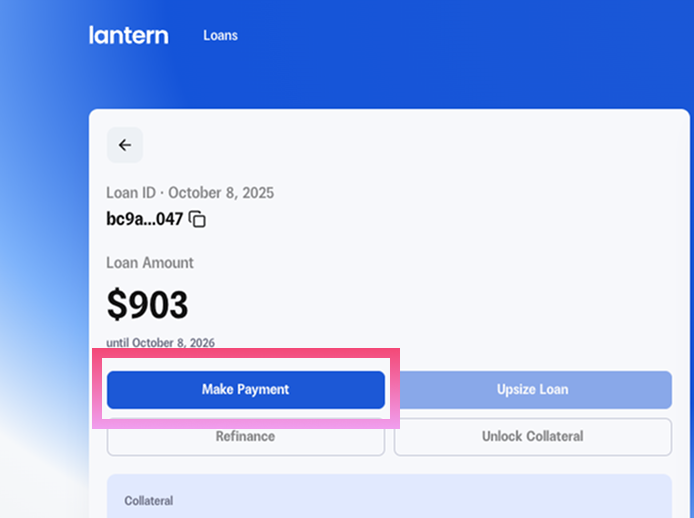
Step #1: Log in to your Lantern dashboard and click on "Manage" for the specific loan you want to pay interest on
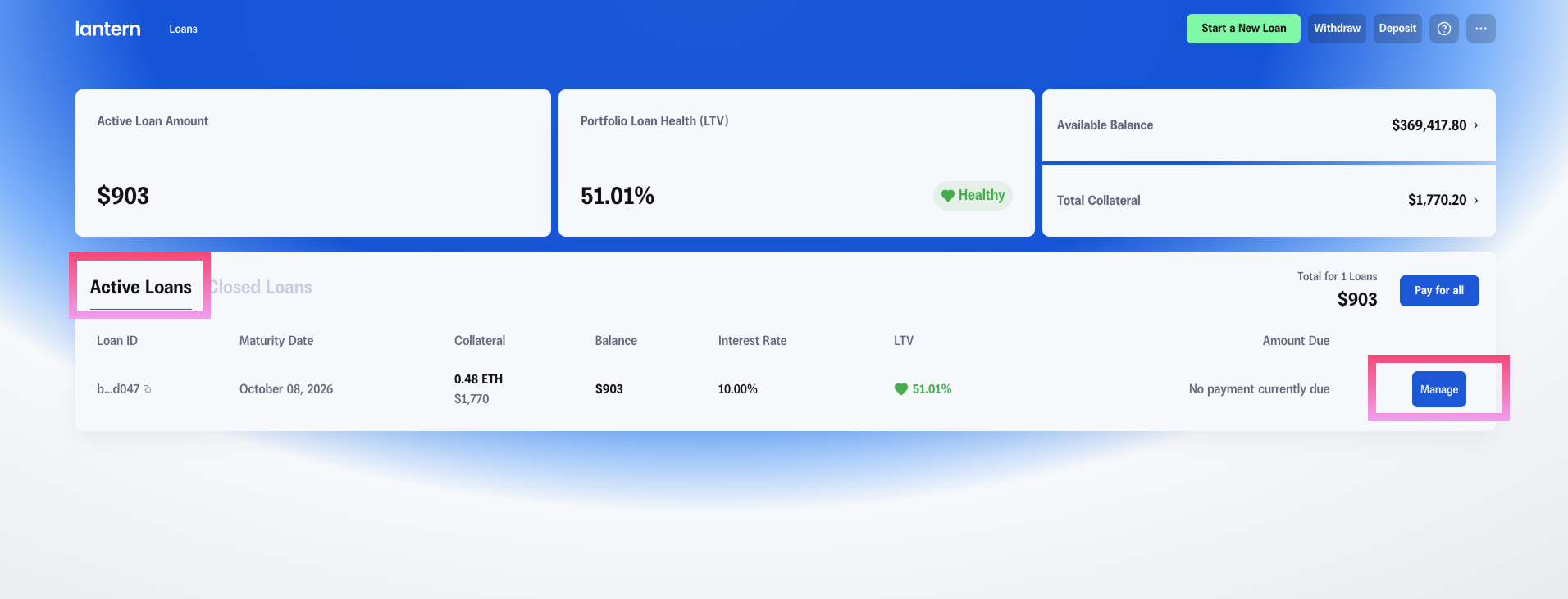
Step #2: Click on "Make Payment" to begin the payment process.
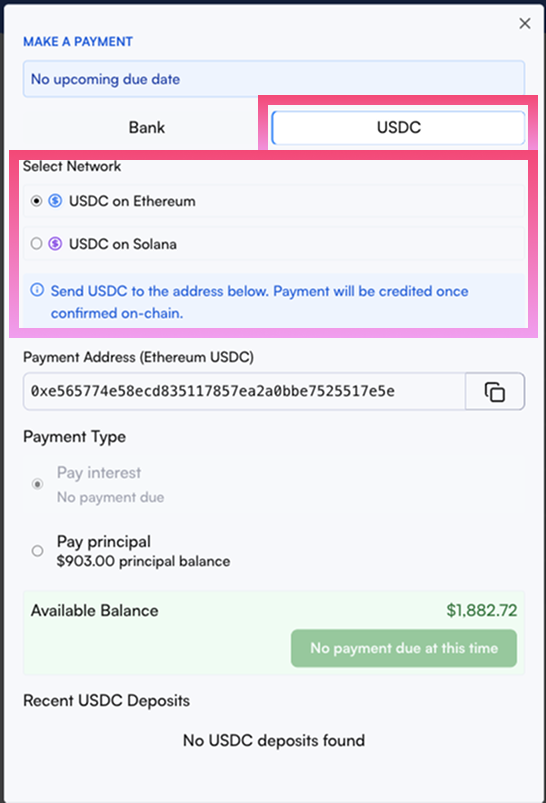
Step #3: Click the "USDC" tab next to "Bank" and select your preferred network. Currently, we support USDC sent via both Ethereum and Solana.
Step #4: Copy the provided USDC address and paste it into your preferred wallet or exchange platform to send.
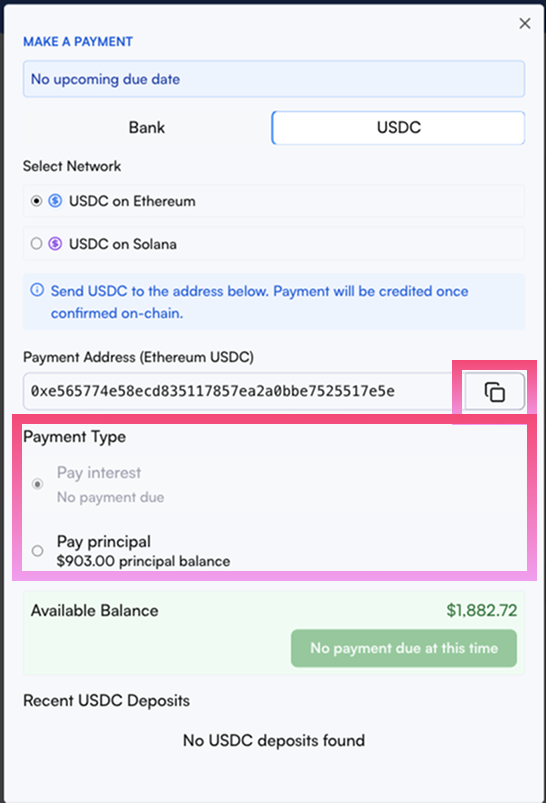
Important: Double-check that you're sending via the correct network (either Ethereum or Solana) to avoid any transaction issues. Select the amount you wish to send under the Payment Type section.
Step #5: Once your USDC deposit is confirmed on the blockchain (typically takes a few minutes), you'll see it reflected in your "Available Balance." The "Make USDC payment" button will become active once the deposited amount equals or exceeds your selected payment amount.
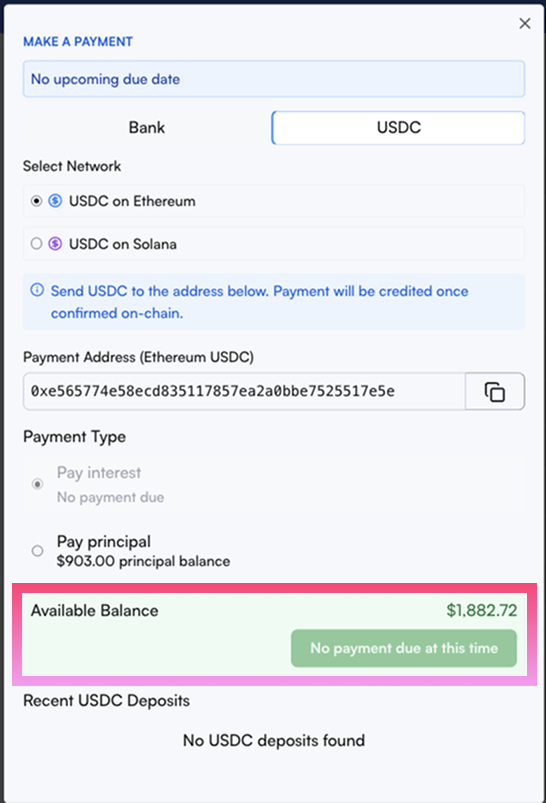
After making the USDC payment through the platform, you're all set! Your interest payment will be processed, and your loan account will be updated accordingly.
Why USDC Payments Matter
By adding USDC support, we're making it easier for borrowers to stay within the crypto ecosystem when managing their loans. No need to convert to fiat or deal with traditional banking delays. Simply use the USDC you already hold, to keep your loan in good standing.
Ready to try the new payment method?
👉 Log in to your Lantern dashboard and explore the new payment option today.
As always, our team is here to help if you have any questions about the new payment features.
To more features,
The Lantern Team