24 Jul 2025 · 2 min read
New Feature: Upsize your loans today

Hey Lantern Community,
We’re excited to announce the launch of our Upsize Feature, designed to help you borrow more using your existing crypto collateral.
If your current LTV is at least 10% below your loan's original maximum LTV, you’re eligible to upsize.
Eligibility Thresholds:
BTC, ETH, SOL: Upsize available at 40% LTV or lower (max 50%)
XRP, LTC: Upsize available at 30% LTV or lower (max 40%)
DOGE: Upsize available at 15% LTV or lower (max 25%)
Note: You don’t need to open a new loan or deposit additional assets.
BTC Loan Example:
You originally borrowed $40,000 using 1 BTC as collateral when BTC was $80,000 (50% LTV). BTC is now $100,000, so your current LTV has dropped to 40%. With our new feature, you can now upsize and borrow an additional $10,000, bringing your loan back to the 50% LTV limit.
XRP Loan Example
You borrowed $8,000 with 20,000 XRP at $1.00 each (40% LTV). XRP has risen to $1.33, dropping your LTV to 30%. Now, you can upsize and borrow an additional $4,000, restoring your loan to the 40% LTV cap.
Step #1: Log into your dashboard. See which loans have Loan-to-Value (LTV) ratios that may be eligible for upsizing.
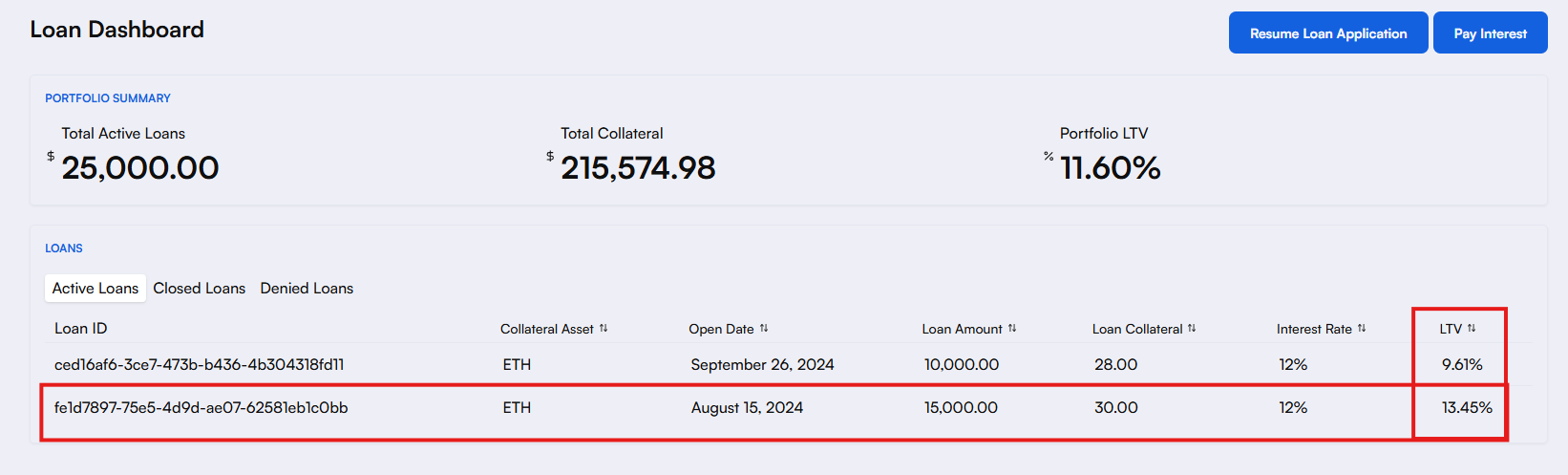
In this case, both ETH-backed loans are eligible for upsizes since max LTV for ETH is 50% and these two loans are both under 40% LTV. For this example, let's go with the $15k loan.
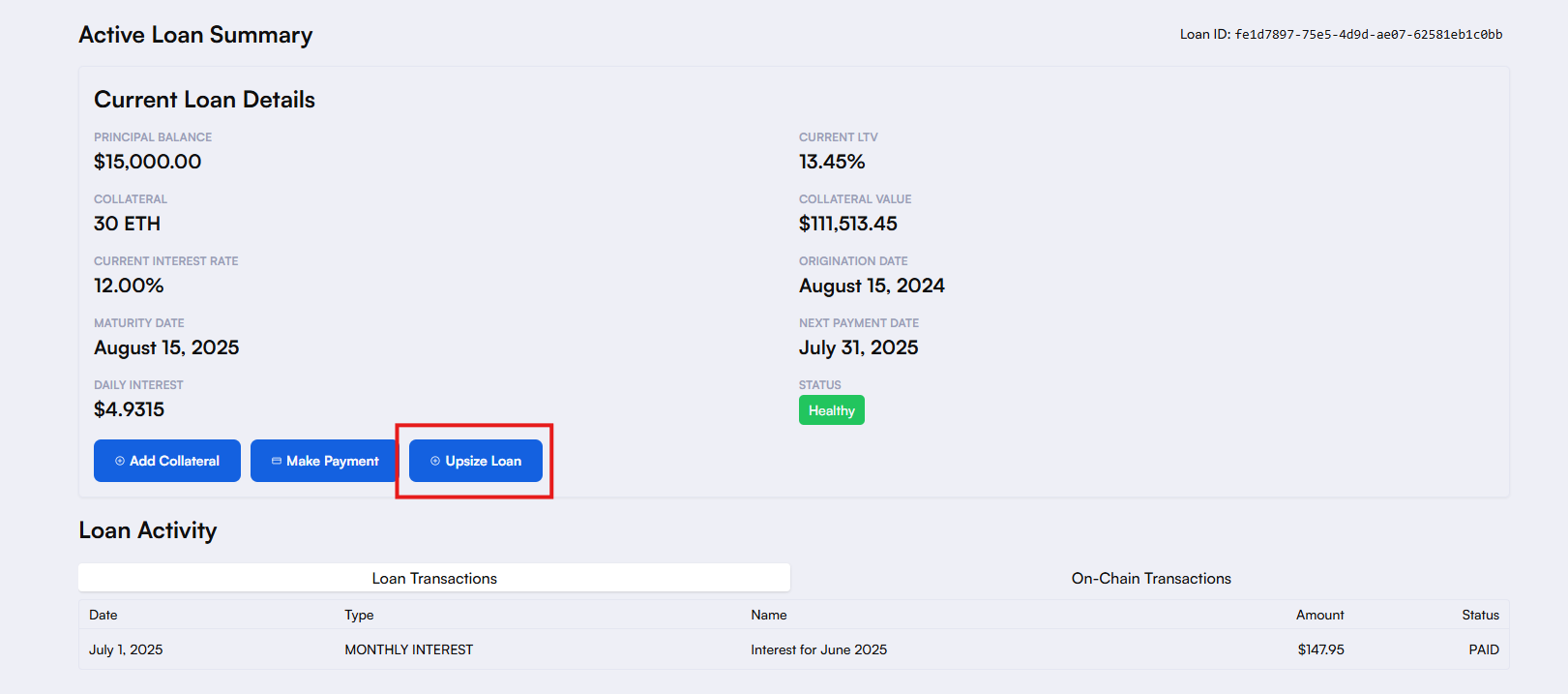
Step #2: After clicking into the loan, click on the "Upsize Loan" button. This will be clickable if that loan is eligible for an upsize.
Step #3: We can choose to click "Max" and borrow the maximum amount to get the LTV up to the maximum initial amount, or we can choose any amount under that.
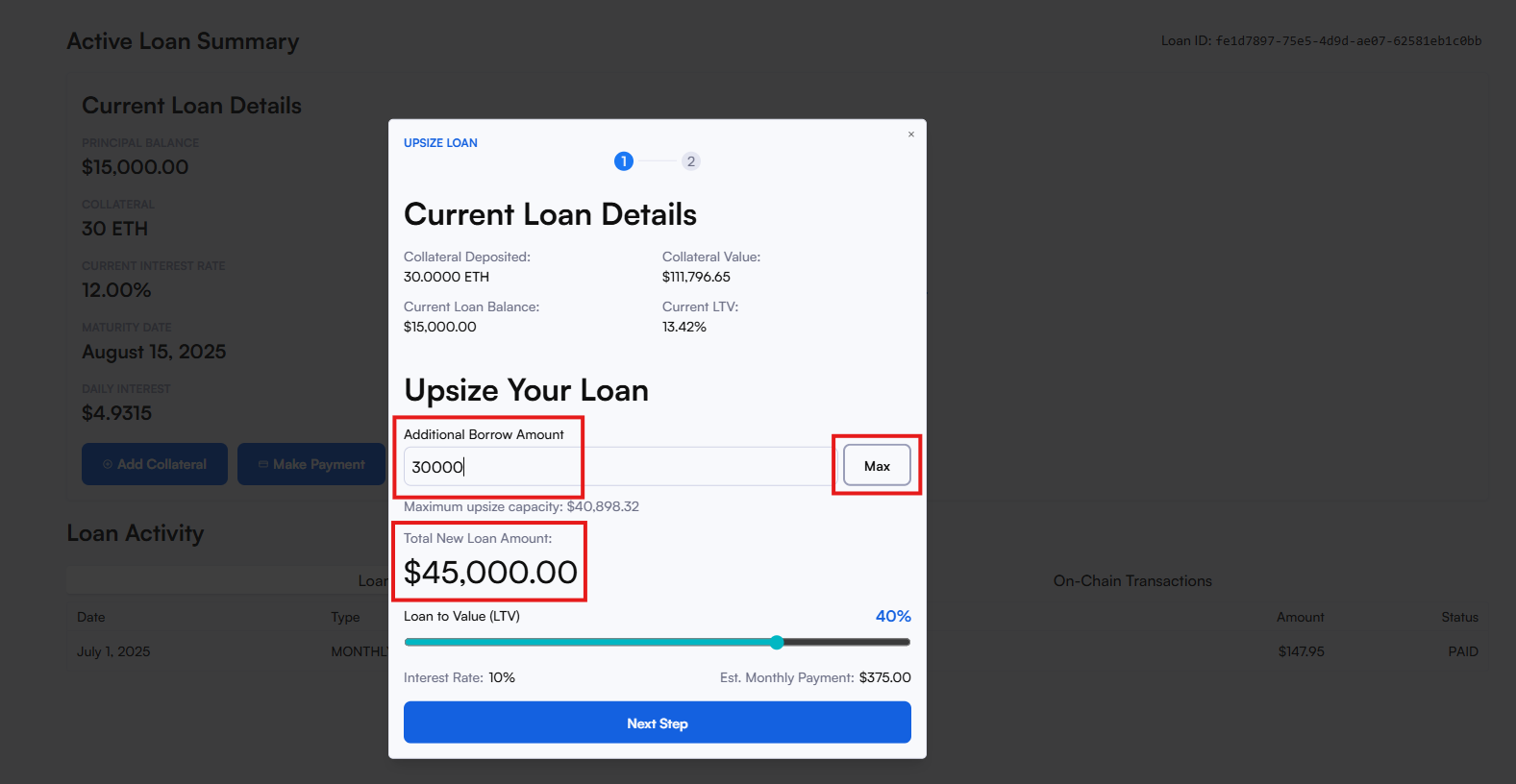
In this case, let's go with a $30k upsize, which brings this loan to a total of $45k.
Step #4: Review your upsize and total loan summary and terms, including the new margin call and liquidation thresholds. The funds will be paid out to the disbursement method you chose for the initial loan.
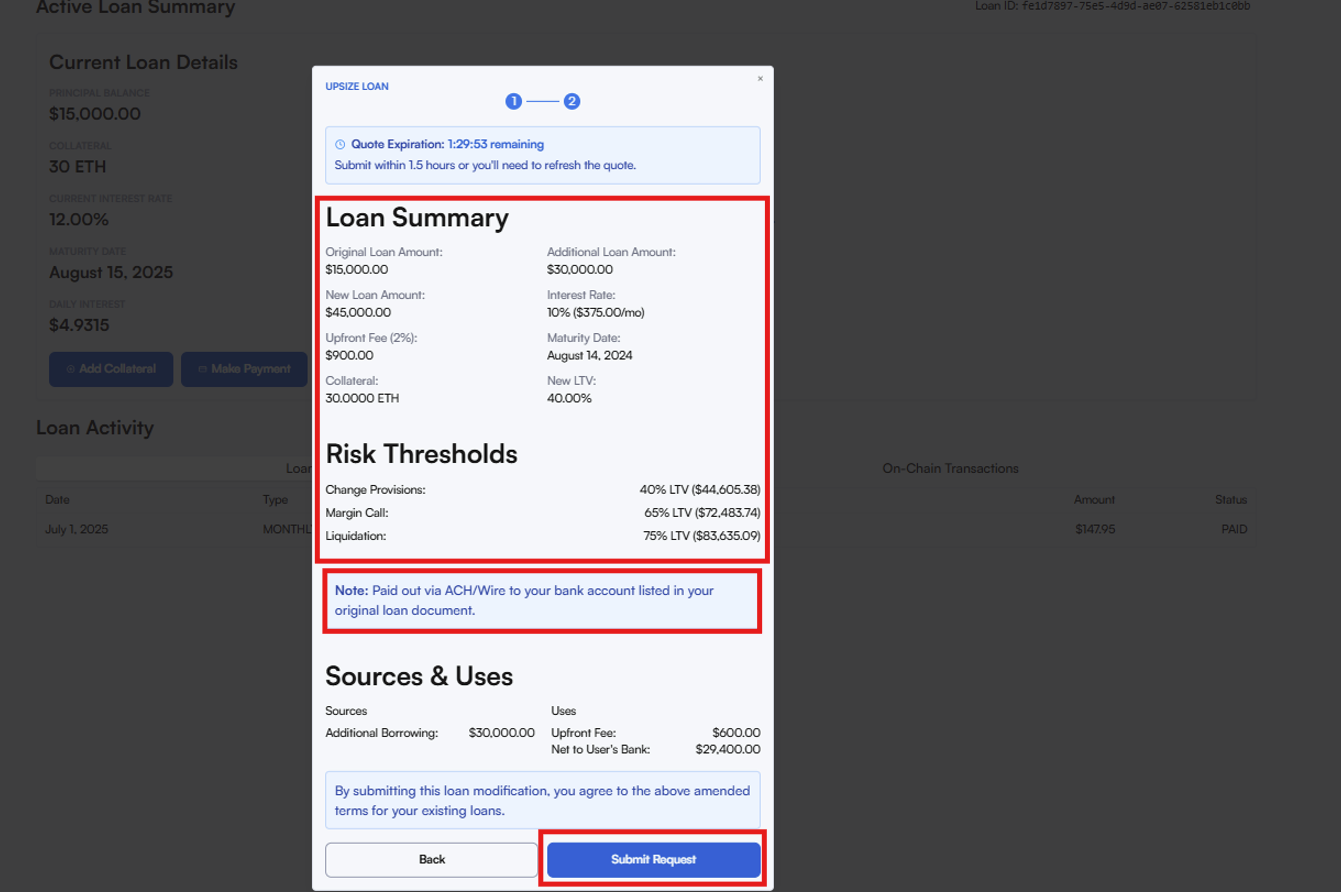
Once everything looks good, click "Submit Request" and you're done!
Why Use the Upsize Feature?
Access more liquidity instantly
Avoid opening new loans or adding collateral
Take advantage of rising crypto markets
Stay in control of your borrowing and LTV thresholds
Ready to upsize your loans?
👉 Log in to your Lantern dashboard to see if your loans qualify for an upsize.
The process is fast, secure, and fully integrated into your existing loan experience.
Got questions?
Reply to this email or text us at (415)-365-0100.
To more features,
The Lantern Team