New Feature: Text Message Alerts for Margin Calls
By Lantern Finance
Today, we’re excited to announce Lantern users will have the option to set up text message alerts to stay on top of margin call alerts.
How To Enable Text Message Alerts
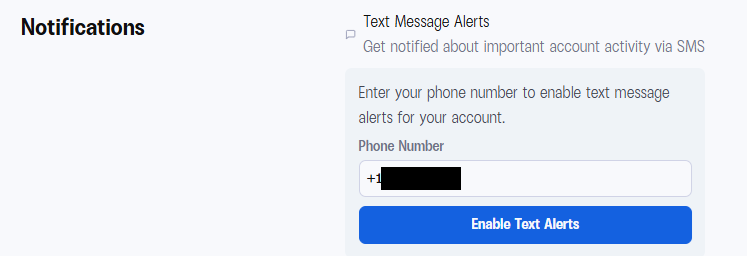
Step 1: Go to your Settings page.
Your phone number from account verification is already pre-populated.
Step 2: Click "Enable Text Alerts."
That's it!
You’ll now get alerts when your loan triggers a margin call. You'll also receive a confirmation text from our support number letting you know alerts are active.
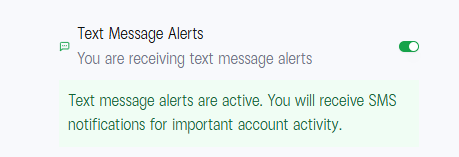
A quick heads-up for our MSN, Hotmail and Outlook users: We've noticed that some of our automated emails aren't always making it through to your inboxes. We believe this is a Microsoft issue and are waiting for a resolution. To make sure you never miss an important update about your loan, we highly recommend turning on SMS alerts in your account settings.
Want to Change Your Phone Number?
The number pre-populated in your settings is the one you used during verification. If you need to update it, reach out to [email protected] and we'll get it swapped out for you.
Most crypto lending platforms don't give you a warning at all. They liquidate you instantly with no notice or grace period. Your crypto gets sold at the worst possible price while you're stuck in traffic or sleeping.
Lantern already gives you something rare in this industry: 72 hours to respond to a margin call, zero liquidation fees, and a team that actually picks up the phone.
Now we're making sure you never miss that window.
Enable text alerts now: