Introducing Unlock Collateral: Flexibility for Your Crypto Assets
By Lantern Finance
We're excited to share a feature that gives you more control over your collateral: Unlock Collateral.
When your Loan-to-Value (LTV) ratio drops low enough, you can now unlock excess collateral and move it back to your available balance.
This feature has been especially useful during recent market movements, when many clients added extra collateral or paid down their loans. Now you can reclaim that collateral directly through your dashboard.
How It Works
Eligibility Requirements
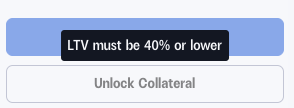
You can unlock collateral when your LTV ratio is at least 10% below your loan's maximum initial LTV:
BTC, ETH, SOL: Unlock available at 40% LTV or lower (max initial LTV at 50%)
XRP, LTC: Unlock available at 30% LTV or lower (max at 40%)
XLM, ADA, HBAR: Unlock available at 23% LTV or lower (max at 33%)
DOGE: Unlock available at 15% LTV or lower (max at 25%)
These are the same thresholds as our Upsize feature.
How to Unlock Your Collateral
The process is simple and takes just a few steps:
Step 1: Check Your Eligibility
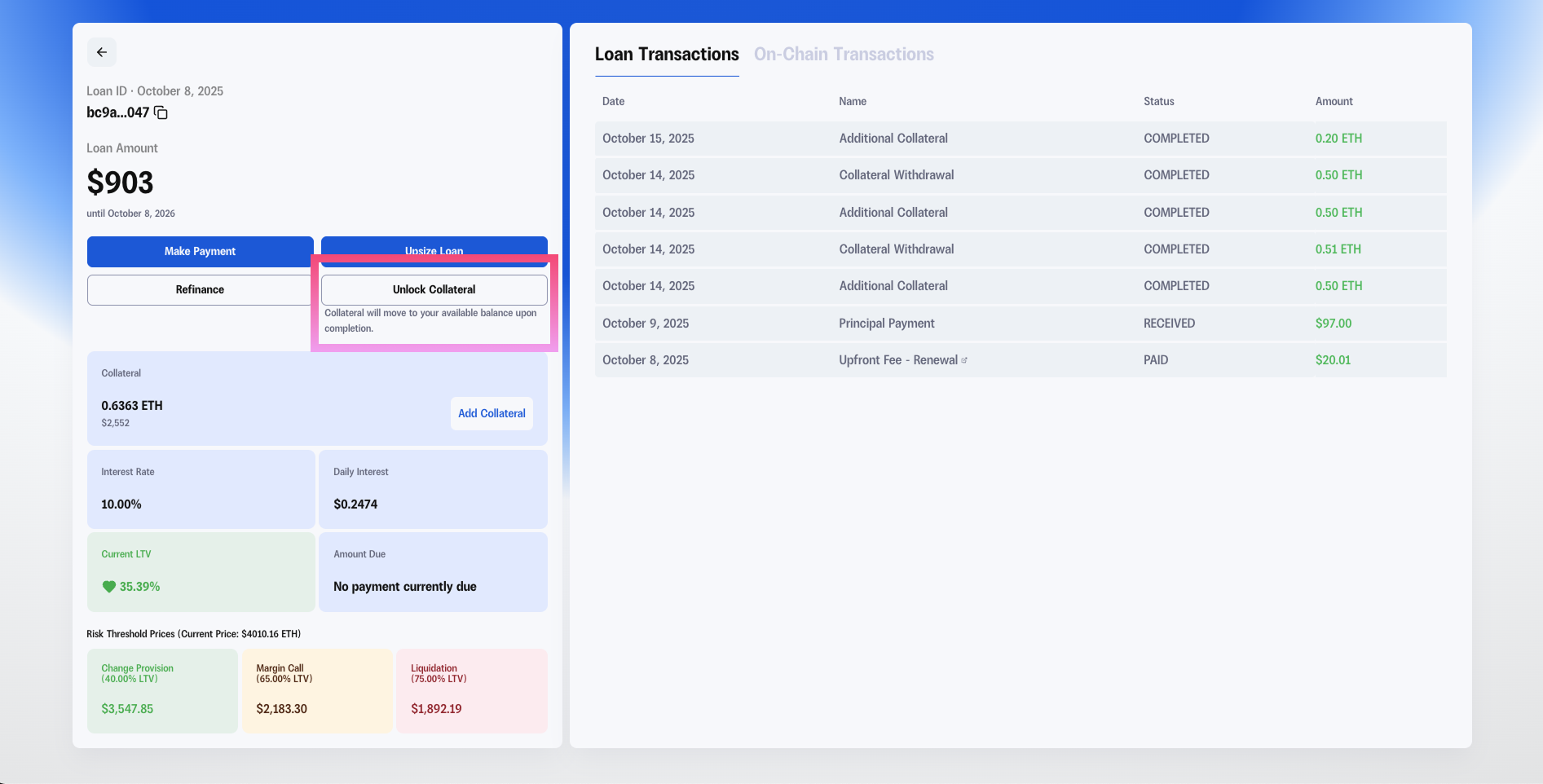
First, log in to your Lantern dashboard and navigate to the loan you want to manage. Look for the current LTV ratio—if it's low enough based on your asset type, the "Unlock Collateral" button will be active.
Hover over the Unlock Collateral button to see your specific asset’s eligibility threshold.
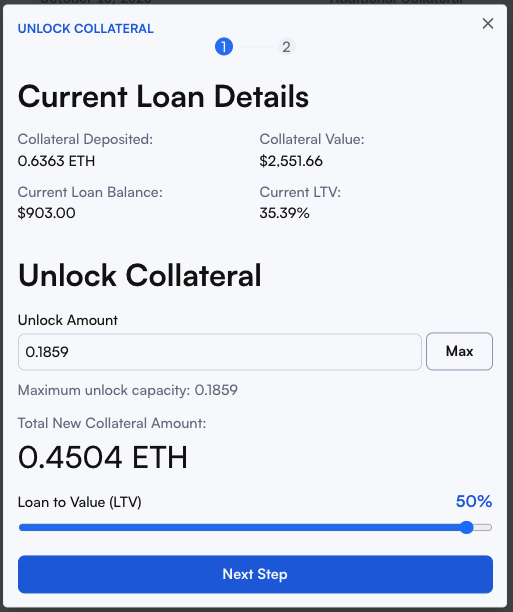
Step 2: Choose Your Unlock Amount
Click "Unlock Collateral" and enter the amount you want to unlock. You can use the "Max" button to unlock the maximum available amount while keeping your LTV at the safe threshold.
You'll see a real-time preview of:
Your new collateral amount
Your new LTV ratio
Updated risk thresholds (margin call and liquidation levels)
Step 3: Review and Submit
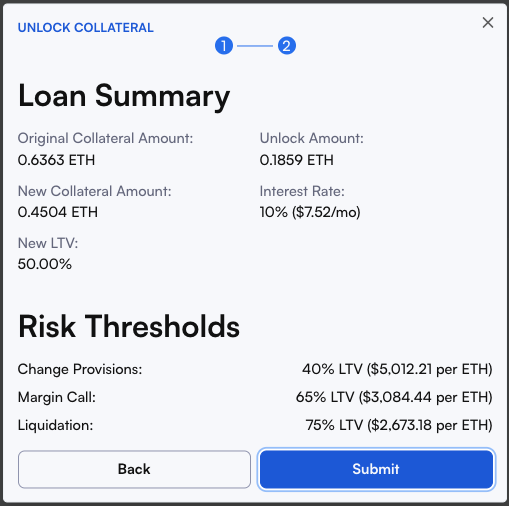
Review your loan summary carefully:
Original vs. new collateral amounts
Your new LTV percentage
Updated interest and risk thresholds
Once everything looks good, click "Submit" to complete the unlock.
Step 4: Access Your Funds
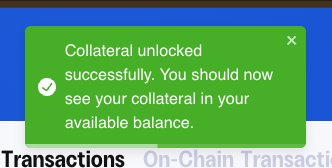
After submitting, you'll see a confirmation message: "Collateral unlocked successfully. You should now see your collateral in your available balance."
Your unlocked collateral will appear in your available balance within your Lantern account.
Note: Available balance updates immediately
Step 5: Withdraw to Your Wallet (Optional)
If you want to move the funds to an external wallet:
Click "Withdraw" in the top navigation of your Loans dashboard page
Select the asset you unlocked
Enter your destination wallet address
Specify the amount to withdraw
Submit your withdrawal request
Please triple-check your wallet address before submitting.
Why Use Unlock Collateral?
Capital efficiency: Access liquidity when your collateral appreciates
Start a new loan: The available balance can be used as collateral towards another loan too.
Greater flexibility: Adapt to changing market conditions without contacting support
Self-service convenience: Manage your collateral on your schedule, 24/7
Risk management: Adjust your position as markets evolve
Questions?
If you have any questions about unlocking collateral or need assistance, our team is here to help:
Email: [email protected]
Text: (415) 365-0100
Ready to unlock your collateral? Log in to your dashboard and check if your loans qualify.
This feature is available for all active loans. Your loan must meet the minimum LTV requirements to unlock collateral. All withdrawals are subject to our standard security and verification procedures.