How To Deposit USDC on Lantern Finance
By Lantern Finance
We've updated the way you deposit USDC for loan payments.
Starting today, when you click "Deposit" on your Lantern dashboard, you'll see a redesigned modal that lets you choose exactly how you want to fund your account with USDC.
How to Deposit USDC:
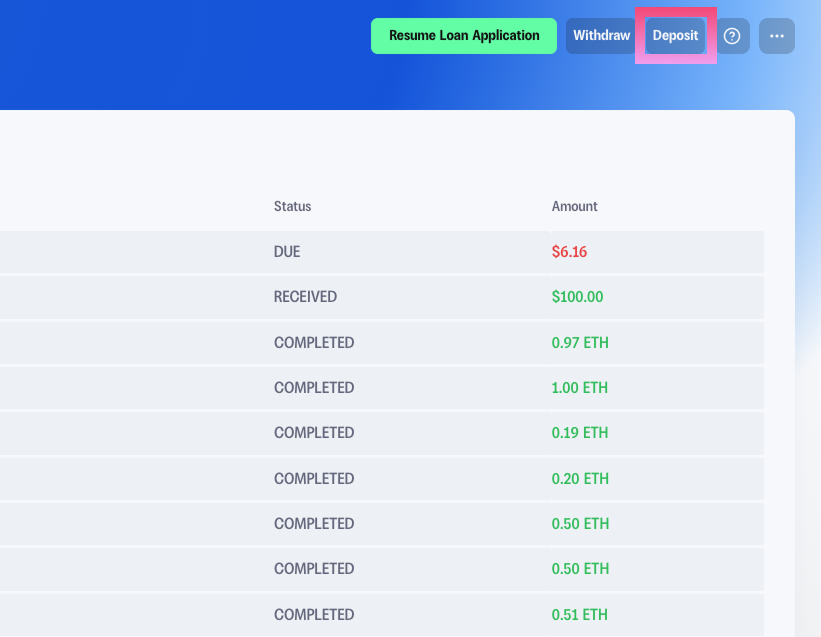
Step #1: Log into your Lantern dashboard and click "Deposit" in the top navigation.
Step #2: In the deposit modal, select "USDC" from the asset dropdown at the top. You'll see your current USDC balance displayed next to the selection.
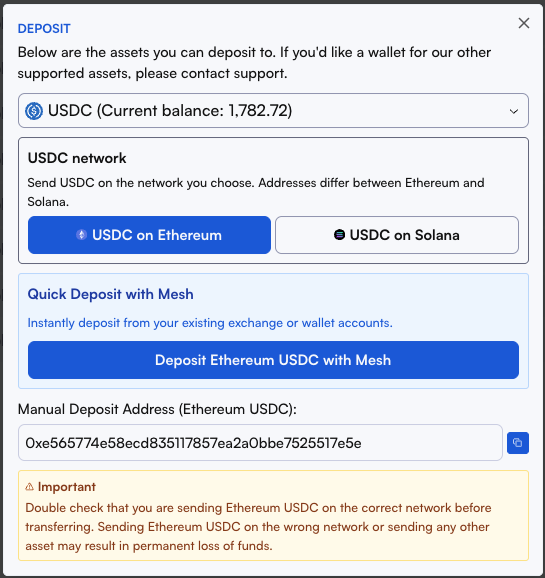
Step #3: Choose between Ethereum or Solana.
⚠️ Important: Addresses differ between Ethereum and Solana. Make sure you select the correct network before sending. Sending on the wrong network may result in permanent loss of funds.
Step #4: Send your USDC using one of two methods:
Option A: Quick Deposit with Mesh (Recommended)
The fastest way to fund your account. Click "Deposit Ethereum USDC with Mesh" to instantly connect your existing exchange or wallet and transfer in just a few clicks
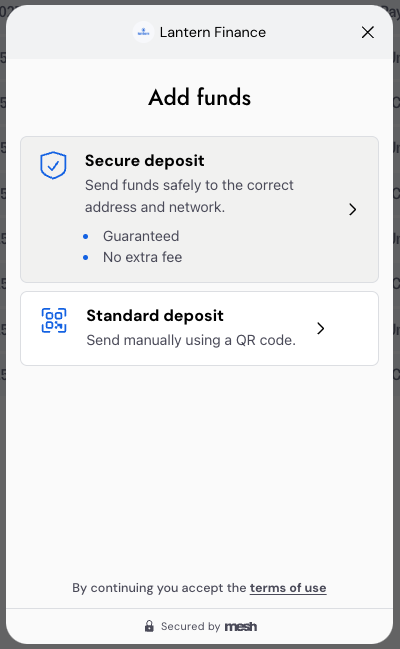
Option B: Manual Deposit
Prefer to send directly? Copy the wallet address shown in the "Manual Deposit Address" field and paste it into your exchange or wallet app.
Once your deposit is confirmed on the blockchain (typically a few minutes), your balance will update automatically in your dashboard.
Ready to make a deposit?
👉 Log into your Lantern dashboard and try the new USDC deposit flow today.
As always, our team is here if you have any questions.
Questions? Email us at [email protected] or text us at (415) 365-0100