Connecting Your Bank & Setting Up Autopay
By Lantern Finance
Log In to Connect Your Bank Account and Set Up Autopay
Making interest payments on Lantern just got faster and easier. We've recently moved to a new payment system for interest payment processing, which means more supported banks, quicker payments, and a smoother experience overall.
Here's how to get connected in just a few minutes.
Step 1: Log into your Lantern dashboard
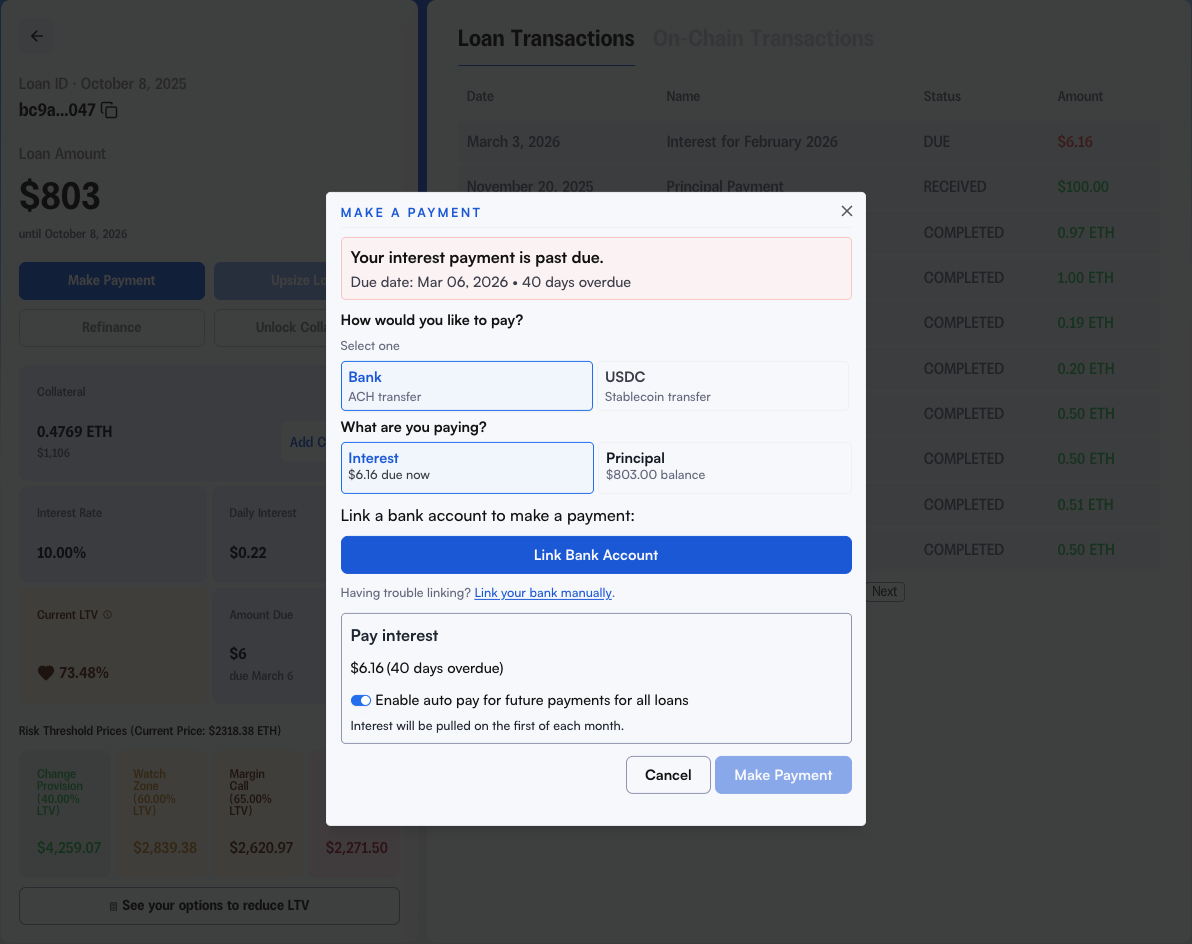
Head to your Lantern dashboard and click into the loan you want to set up payments for. Click the "Make Payment" button.
Step 2: Connect your bank account
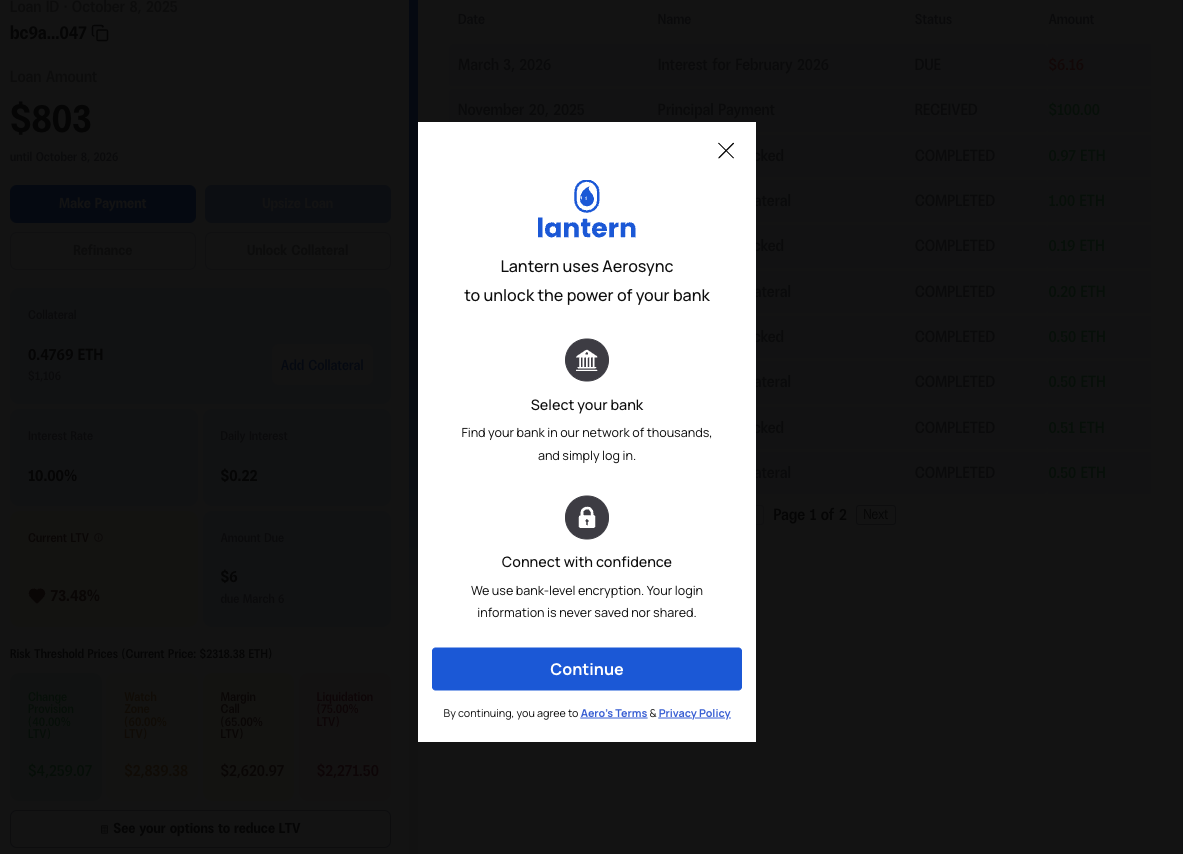
Once you're in the payment flow, you'll see the option to link your bank. Start by clicking "Link Bank Account". This will pull up a list of supported banks and walk you through a secure connection in seconds.
Step 3: If your bank isn't in the list, link it manually
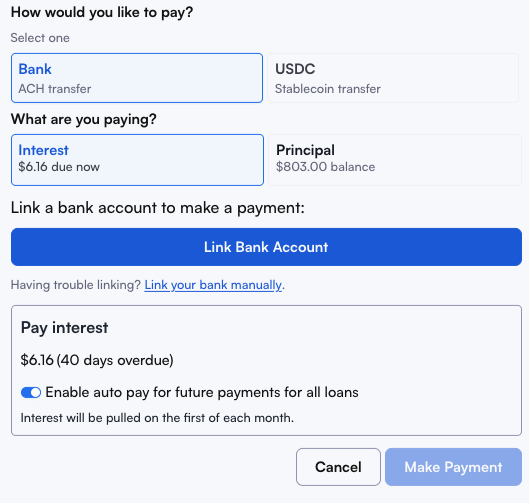
Can't find your bank? Exit the modal and click "Link your bank manually" and enter your routing and account number directly. This works for virtually any U.S. bank account.
Step 4: Make your payment and set up autopay
Once connected, you can make your first payment and — highly recommended — set up autopay so you never miss a due date. Autopay runs automatically on the 1st each month and keeps your loan in good standing without you having to think about it.
Running into an issue?
If you receive any errors while connecting or making a payment, send us a screenshot of the error and we'll sort it out quickly.
Reach us by emailing [email protected] or by calling (415) 365-0100.