Add Collateral Instantly from Your Exchange Using Mesh
By Lantern Finance
Need to add collateral to your loan? You can now deposit crypto instantly from popular exchanges like Coinbase, Kraken, Crypto.com, as well as self-custody wallets without leaving Lantern.
How to Deposit Collateral With Mesh
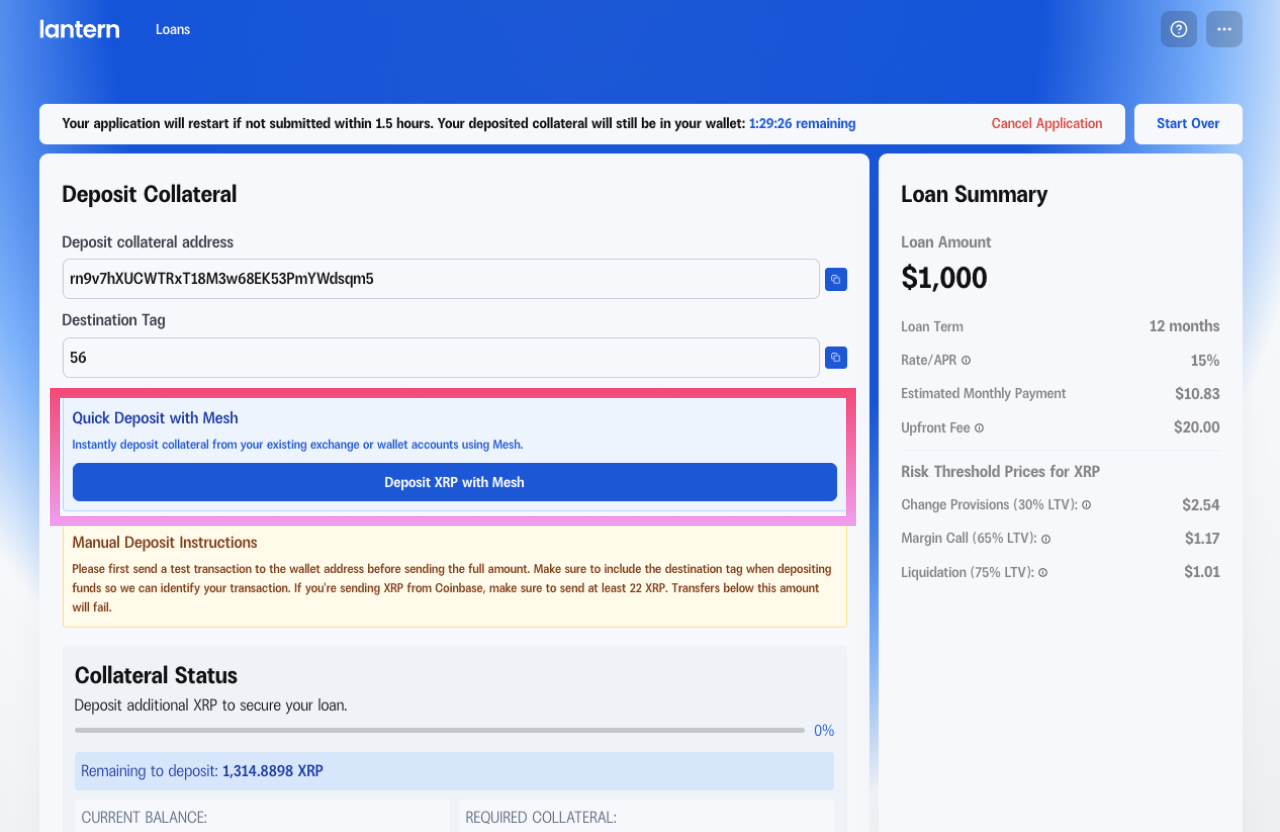
Step 1: Locate the Quick Deposit Section
After signing your loan agreement, you'll see the "Deposit Collateral" page showing:
Your unique deposit address
A destination tag (if required for your asset)
Two deposit options: Quick Deposit with Mesh or Manual Deposit
Click the blue box labeled "Deposit XRP with Mesh"
Step 2: Choose Your Exchange
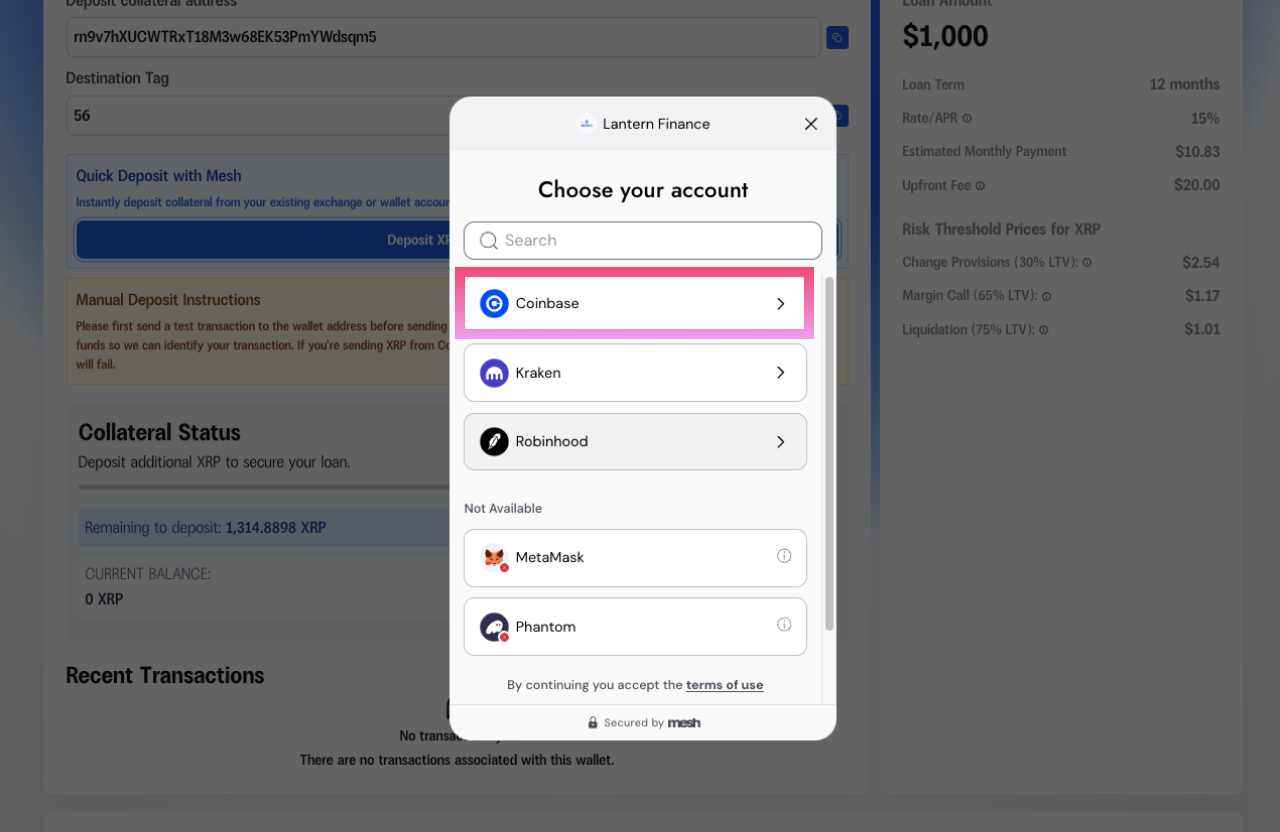
A secure Mesh window will appear asking you to choose your account. You'll see available exchanges like:
Coinbase
Kraken
Robinhood (Coming in Q1 2026)
Some wallets (like MetaMask and Phantom) may show as "Not Available" depending on your asset.
Select your preferred exchange, and you'll be prompted to sign in.
Step 3: Sign In To Your Exchange
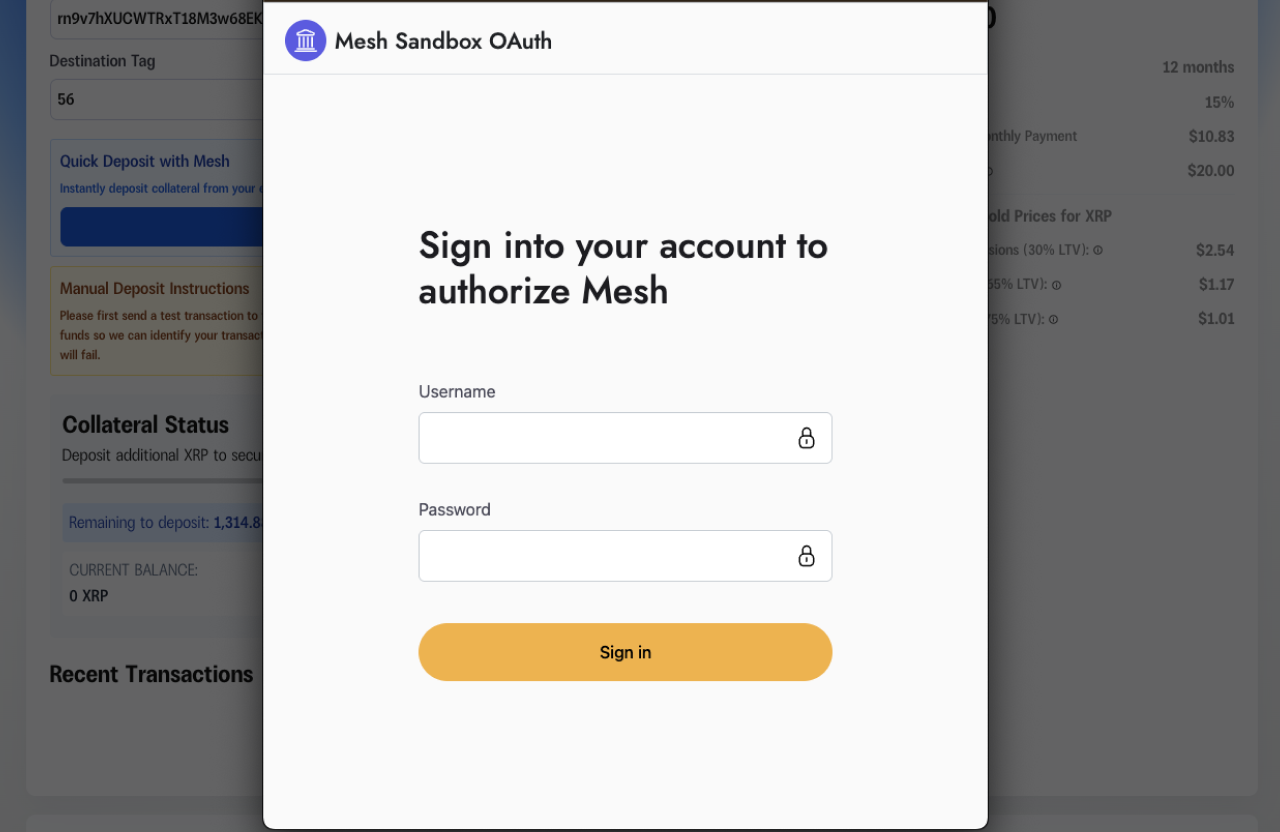
Enter your exchange credentials in the secure Mesh authentication window. This allows Mesh to securely connect to your exchange account.
Step 4: Enter Deposit Amount
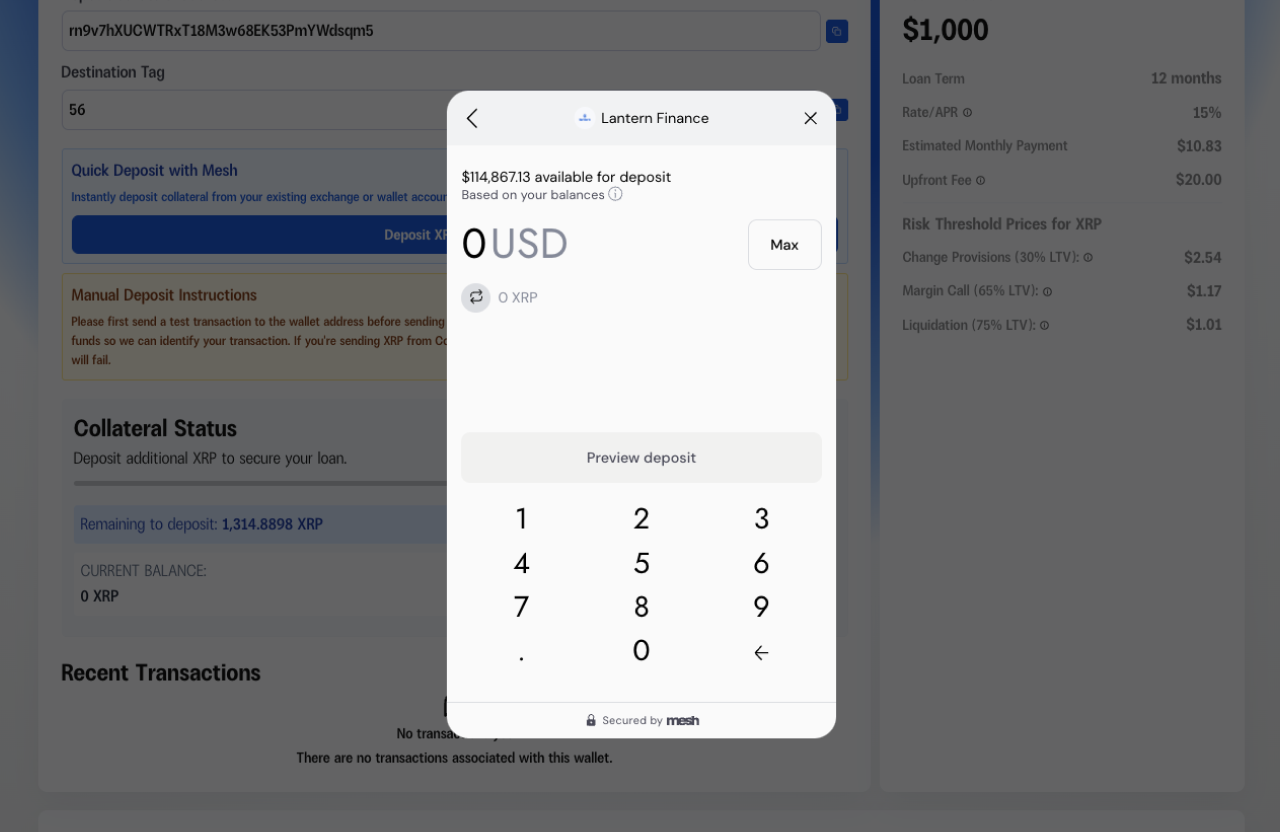
After authentication, you'll see:
Your available balance in the selected exchange
A number pad to enter your deposit amount
Real-time conversion showing the USD value
Enter the amount of crypto you want to deposit as collateral. The system will show you how much is available and convert it to USD in real-time.
Click "Preview deposit" to continue.
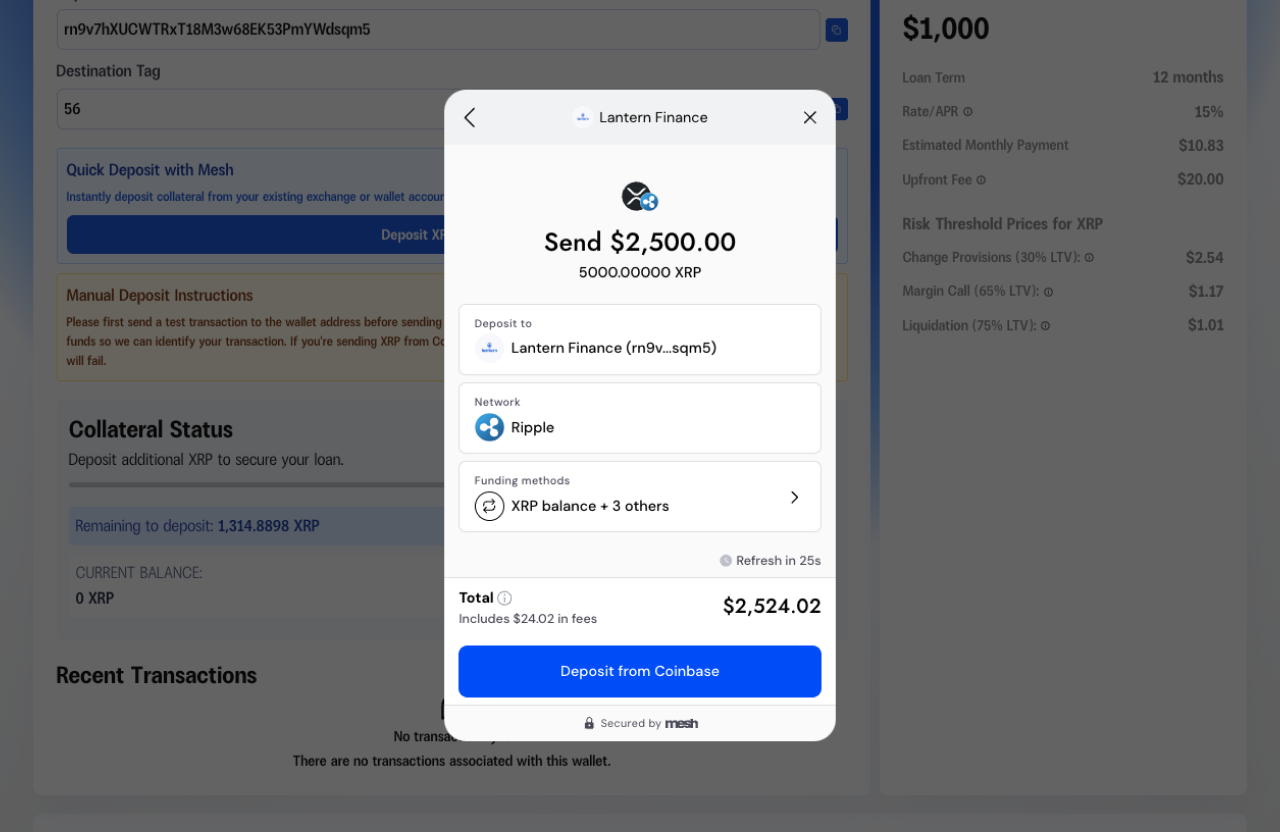
Step 5: Review and Confirm
Review the transaction details:
Deposit destination: Confirms you're sending to Lantern Finance
Network: Shows which blockchain network will be used (e.g., Ripple for XRP)
Funding methods: Shows your exchange balance and any other connected wallets
Total amount: Including any network fees
Click "Deposit from [Exchange Name]" to complete the transfer.
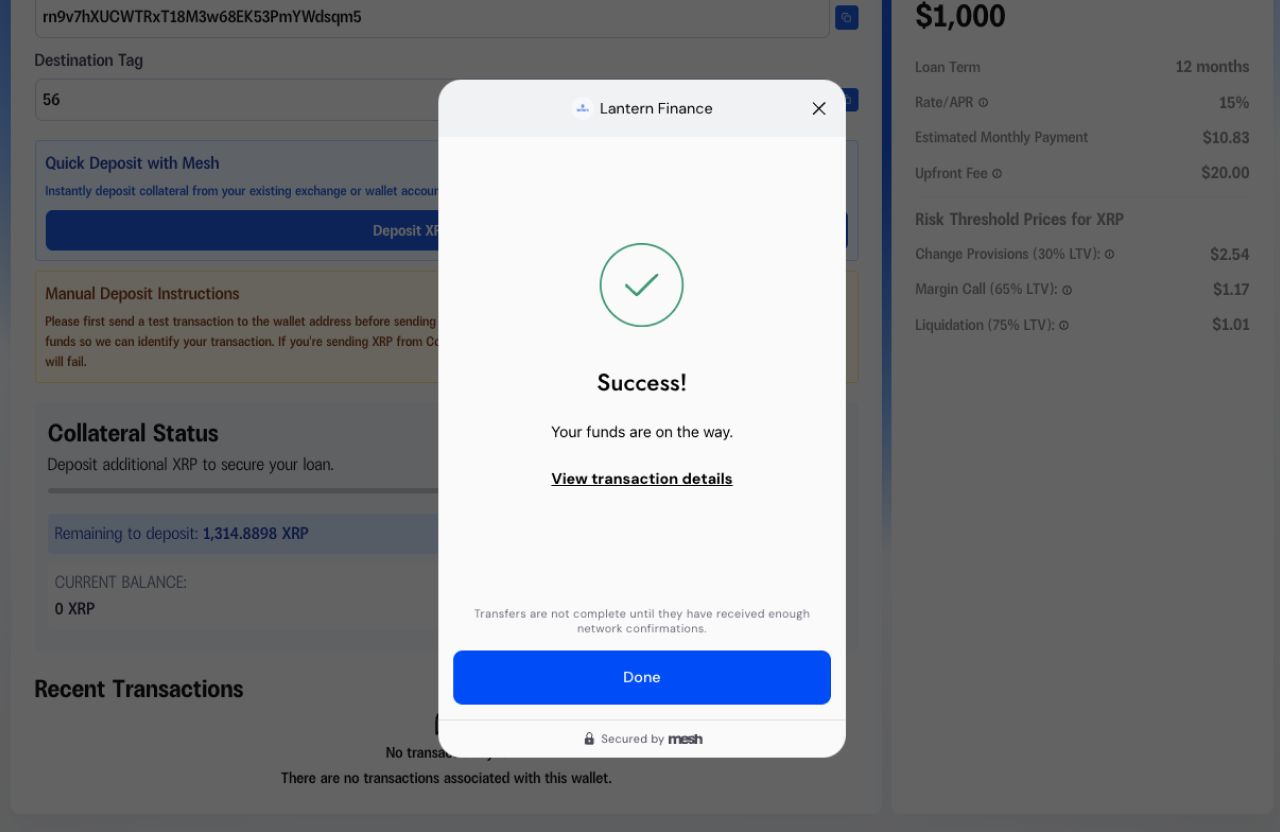
You'll see a success message confirming your funds are on the way. The transfer typically completes within minutes once confirmed on the blockchain.
That’s it!
What's Supported
Assets: All Lantern-supported assets except HBAR (HBAR support coming soon)
Networks: Ethereum and Solana for USDC payments
Payment Types: Interest payments, principal payments, and adding collateral
Coming Soon
We're continuously expanding our payment options. In Q1 2026, we'll be adding support for Uphold, giving you even more flexibility in how you manage your Lantern loans.